Author Archives: krcmic.com

301 vs 302 redirects in WordPress - best practices explained

301 vs 302 redirects in WordPress – best practices explained

Are you wondering what the difference is between 302 and 301 redirects?

Redirects are important for providing a great user experience and helping search engines understand your site better. 302 and 301 are types of redirects that you can use for different situations.

In this article, we will compare 302 redirects versus 301 redirects. We’ll also show you the best practices when using redirects in WordPress.

302 vs 301 redirect – what’s the difference?

Redirection in WordPress allows you to send users and search engine crawlers to a different URL than the one they clicked on.

You need to set up redirects if you delete a page on your WordPress site, move to a new domain, or conduct A/B testing, and there are for sure many other reasons when you desperately need to create some redirect rules.

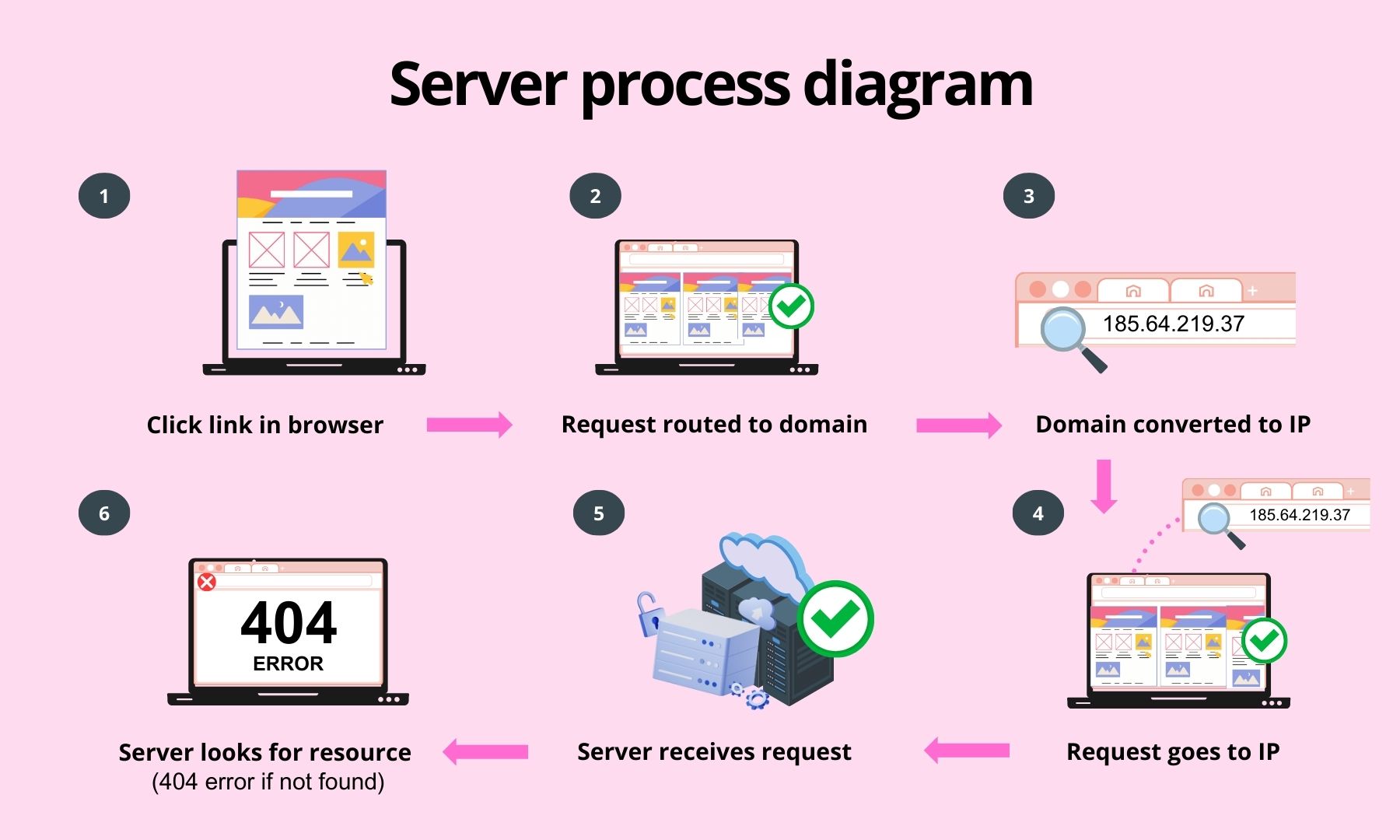
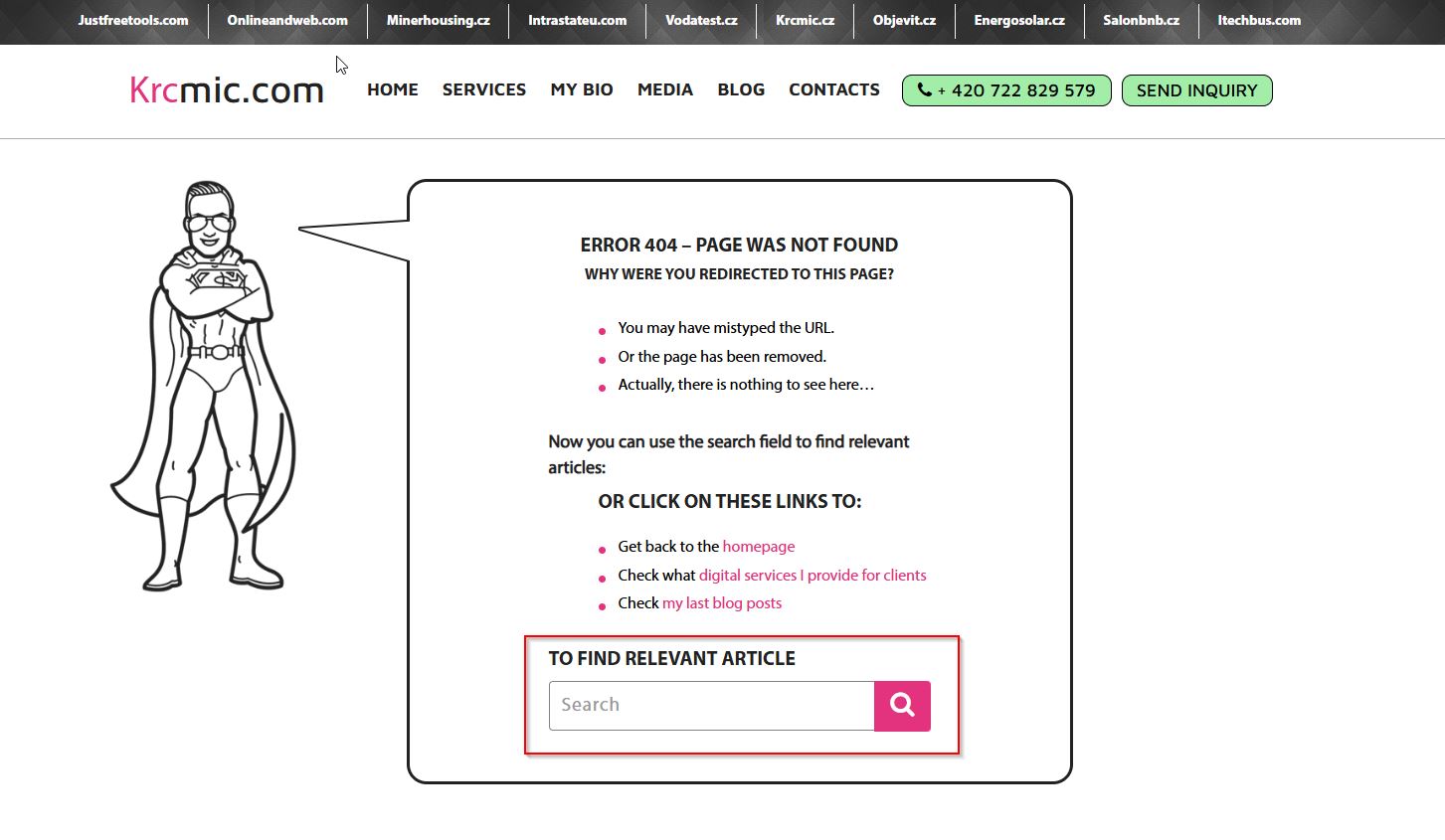
Without redirects, users would not see the content they requested. Instead, they’ll encounter a 404 error page, which is bad for your site’s user experience and search engine rankings.

When it comes to setting up redirects, you’ll encounter the two most common types: 301 and 302 redirects. Let’s look at each one and understand the difference.

What is a 301 redirect?

A 301 redirect is a permanent redirect. If your website or web page has been moved permanently to a new location, you can use 301 redirects to point users to the right place.

For example, when a visitor types your site’s address or clicks on a link, the 301 redirect will automatically change the requested address to the new address.

What is a 302 redirect?

A 302 redirect also helps point users and search engines in the right direction, but temporarily.

Unlike a 301, which is a permanent redirect, 302 redirects are temporary. You can move your website traffic to a new location for a limited time and then go back to the original URL whenever you want.

When should you use 301 and 302 redirects?

Now that you understand the main differences between the two types of redirects, you might be wondering when to use 301 and 302 redirects.

Depending on the conditions and your goals, it makes sense to use either 301 or 302 redirects.

When to use a 301 redirect?

Since 301 redirects are permanent, here are the scenarios when to use them:

  • Migrating your WordPress website to a new domain
  • Switching your site from HTTP to HTTPS
  • Moving a web page to a new location
  • Merging multiple pages and pointing them to a new page
  • Permanently changing your site’s URL structure

When to use a 302 redirect?

On the other hand, if you don’t want to permanently redirect your audience to a new page or location, then it’s better to use 302 redirects. Here are some situations where using a 302 redirect makes sense:

  • Conducting A/B tests for designs, layouts, or features of a new website or page
  • Temporarily redirecting users to a sales page or promotional offer
  • Sending users to the correct version of your website based on their language or location preferences
  • Collecting user feedback about a new product or service without impacting your current SEO rankings

Impact of 301 redirects vs 302 redirects on SEO

When deciding between 301 and 302 redirects, it’s important to consider their impact on your site’s SEO (search engine optimization).

Search engines use bots to crawl and index your website pages, following links to discover new content. Using the correct type of redirection ensures that your blog posts are easily discovered by search engine crawlers and maintain their rankings in search results.

301 redirects and SEO

A 301 redirect indicates to Google and other search engines that a site or web page has been permanently moved. This type of redirect transfers the full link equity (often referred to as “link juice“) to the new URL. Link equity represents the value passed from one site to another, helping the new URL to rank well in search results.

302 redirects and SEO

If the change is temporary, a 302 redirect is more appropriate. A 302 redirect tells search engines that the redirection is not permanent and does not transfer the full link equity. This way, the original page retains its SEO rankings, as search engines understand that the temporary page will eventually revert back to the original URL.

Check also other SEO tips for website content.

How to set up 301 and 302 redirects in WordPress

The easiest way to set up 301 or 302 redirects in WordPress is by using a redirect plugin.

For example, you can use the All in One SEO (AIOSEO) plugin, which is a comprehensive SEO tool for WordPress. It includes a powerful redirection manager for configuring redirects. Besides that, AIOSEO also lets you perform full site redirects without any technical knowledge or editing code.

To use the redirection manager, you will need the AIOSEO Pro version. There is also a AIOSEO Lite version available for free to get you started.

First, install and activate the AIOSEO plugin. If you need assistance, refer to a guide on how to install a WordPress plugin and AIOSEO. Upon activation, you’ll be greeted by a welcome screen and setup wizard. Click the ‘Let’s Get Started’ button and follow the on-screen instructions to configure the plugin.

For additional help, you can consult a guide I mentioned above on setting up All in One SEO for WordPress correctly.

Next, navigate to the WordPress admin area and go to All in One SEO » Redirects. Click the ‘Activate Redirects’ button to enable the redirection manager feature. Once activated, access the ‘Redirects’ tab at the top of the page.

How to redirect post or page type ina all in one seo plugin

In the left corner click on Redirects


Wordpress activate redirects for SEO

Here you have to activate redirect first

In the ‘Redirects’ tab, enter the link you wish to redirect in the ‘Source URL’ field and specify the new location for the link under the ‘Target URL’ field.

Then, select the type of redirection (301 or 302) from the ‘Redirect Type’ dropdown menu. After making your selections, click the ‘Add Redirect’ button. You can repeat this process to add as many redirects as needed.

How to redirect post or page type ina all in one SEO plugin

How to redirect post or page type in All in One SEO (AIOSEO) plugin

AIOSEO also provides a log of redirects you’ve created, which you can view by scrolling down in the plugin interface. Additionally, AIOSEO allows you to perform full site redirects without requiring any technical knowledge or code editing.

Best practices for implementing 302 and 301 redirects

Setting up redirection on your WordPress website can be complicated. To help you out, here are some best practices to follow:

Testing redirects to ensure they’re working

After you’ve set up 301 or 302 redirects, it’s essential to test each link multiple times to ensure they are functioning correctly. This is crucial because any issues with the redirection can negatively impact your site’s user experience and SEO rankings. A simple way to check is by visiting your site in incognito mode and opening the redirected link. If it opens the new location, then your redirects are working properly.

Additionally, there are free tools available online that can check redirection for you. Alternatively, you can use the AIOSEO plugin, which logs your redirects within your WordPress dashboard. For those who do not want to pay any monthly fees, there is always Google Search Console.

Google Search Console is a free tool that can be very useful for monitoring your site’s health, including redirects. By using the coverage report and checking for any issues, you can identify broken redirects and other problems affecting your website’s SEO. This tool is essential for any website owner to ensure that Google can crawl and index their site correctly. More information is available on the Google Search Console page. You can also use online tools like Redirect Checker to verify that the redirects are working as intended.

For complex sites, you will need more specialized SEO tools, which also have many other essential functionalities and features:

  • Marketing Miner – helps you track both 301 and 302 redirects, identify any issues, and ensure they are working correctly. Marketing Miner also provides detailed reports and insights, making it easier to manage your site’s SEO health. More information can be found on the Marketing Miner website.
  • Screaming Frog – is a widely used tool for auditing and analyzing website SEO. One of its key features is the ability to check for redirect issues. Screaming Frog can crawl your entire site, identify both 301 and 302 redirects, and highlight any redirect chains or loops. This tool is invaluable for maintaining your site’s SEO health by ensuring that all redirects are functioning correctly. Additionally, it provides comprehensive reports that are easy to understand and act upon. More information can be found on the Screaming Frog website.
  • Ahrefs Site Audit – offers a comprehensive site audit feature that can crawl your website and detect various issues, including problems with redirects. It checks for both 301 and 302 redirects and helps you identify any broken redirects or issues with redirect chains. By setting up regular audits, you can monitor your site’s health and ensure all redirects are functioning properly. More information can be found on the Ahrefs website.
  • SEMrush Site Audit – is another powerful tool that can help you monitor and test redirects on your website. SEMrush provides detailed reports on your site’s SEO health, including identifying redirect issues. This tool allows you to schedule regular site audits, ensuring that your redirects are always working correctly and helping you maintain your SEO rankings. Visit the SEMrush website for more details.
  • Moz Pro Site Crawl is also highly effective for identifying issues with redirects. Moz’s site crawl tool scans your website for common SEO issues, including problematic redirects. It provides actionable insights and detailed reports, making it easy to fix any redirect issues promptly. You can learn more about Moz Pro on their official site.
  • Redirect Path by Ayima is a browser extension that can quickly check the status of redirects on any webpage you visit. This tool is particularly useful for on-the-fly checks and identifying redirect chains, ensuring that your redirects are functioning correctly in real time. You can add the extension from the Ayima website.

Most of these tools also can help you to monitor broken links.

Monitoring redirects for broken links

Next, it’s important to track broken links after adding 301 and 302 redirects to your website. If a web page is moved to another location or users are sent to a new page temporarily and the redirection fails, it will result in a broken link. Consequently, users will see a 404 error page, which can harm your site’s user experience and SEO rankings.

Tracking broken links after setting up 301 and 302 redirects allows you to fix them promptly, thereby maintaining a smooth user experience and preventing any negative impact on your keyword rankings. The best way to track broken links is by using the AIOSEO plugin. You can enable the ‘404 Logs’ feature to start monitoring for 404 error pages. Initially, you won’t see any data, as the plugin will only start recording broken links after the setting is enabled.

Once the plugin starts gathering information, you can view broken links on your site under the 404 Logs tab. To quickly fix 404 error pages, you can click the ‘Add Redirect’ option and set up 301 or 302 redirections. For more details, please see our guide on how to find and fix broken links in WordPress.

Avoid creating redirection chains and loops

A redirection chain occurs when multiple redirects are set up between the source URL and the target URL. Google officially follows up to 10 hops in a redirection chain. If there are more than 10 redirects, it could result in a redirect error in Google Search Console. To avoid this, it is best practice to minimize redirection chains and point directly to the new location of a website or page. This is particularly important when setting up permanent 301 redirects, as too many can cause errors and negatively affect user experience.

Additionally, it’s crucial to avoid redirection loops. A redirection loop happens when URLs in a chain redirect back to themselves, creating an infinite loop. As a result, users and search engines won’t reach the intended page and will instead see the original page or a ‘redirected you too many times’ error. To fix this, remove all redirects in the chain and redirect directly to the final destination.

How to fix redirection chains and loops

To fix redirection chains, you should audit your redirects and ensure each URL points directly to the final destination without unnecessary intermediate steps. Use tools like Screaming Frog or Ahrefs to identify and resolve these issues.

Preventing duplicate content

Another best practice for using 301 and 302 redirects is to avoid duplicate content issues, especially if your site uses multiple subdomains. For example, if your site’s URL has HTTP and HTTPS, www and non-www versions, or variations with capitalized and lower-case URLs, search engines may view these as separate sites, leading to duplicate content problems.

To fix this, redirect all subdomains to a single preferred URL. For instance, redirect both HTTP and non-www versions to the HTTPS www version. This consolidation helps prevent duplicate content issues and improves SEO.

Additional tips

  • Migrating sites – when migrating sites and domains, you might use a 302 redirect temporarily to indicate to Google and other search engines that the move is temporary and the content isn’t duplicated permanently. Once the migration is complete, set up 301 redirects to indicate the preferred version of the content for indexing.
  • Redirects monitoring – regularly monitor and audit your redirects to ensure they are functioning correctly and not causing issues. Tools like Google Search Console, Screaming Frog, Ahrefs, and SEMrush can help you identify and resolve any redirect problems efficiently. This is crucial for bigger projects which is dependent on your living. You can set up alerts, notifications, reports, etc.
  • Using canonical tags – in addition to redirects, using canonical tags can help manage duplicate content by indicating the preferred version of a webpage to search engines. This can be particularly useful for managing similar or duplicate content across different URLs.
  • Implementing SSL/TLS – ensure that all redirects point to the HTTPS version of your site to provide a secure browsing experience for your users. This not only improves security but also enhances SEO, as search engines favor secure sites.

How to redirect a website using the .htaccess file in WordPress

The .htaccess file is a configuration file used by the Apache webserver to manage redirects, among other functions. Here’s how you can set up redirects using the .htaccess file in WordPress:

Step 1: Locate the .htaccess file

  1. Access your hosting account – log in to your web hosting account and navigate to the file manager.
  2. File manager – open the file manager application provided by your hosting service. Alternatively, you can use an FTP client like FileZilla.
  3. Locate the file – navigate to the root directory of your WordPress installation. This is usually the public_html or www directory. The .htaccess file is located here. Some hosting companies need to first allow you to use .htaccess, so better to contact your hosting first or check if they have some tutorial for that.

Step 2: Edit the .htaccess File

  1. Backup the file – before making any changes, download a copy of the .htaccess file to your local computer for backup purposes.
  2. Open the file – open the .htaccess file using a text editor within the file manager or download it and open it using a text editor like Notepad or TextEdit.

Step 3: Add redirect rules

Add the appropriate redirect rules to the .htaccess file based on the type of redirect you need for

  • 301 redirect (permanent redirect): Redirect 301 /old-page.html http://www.yoursite.com/new-page.html
  • 302 redirect (temporary redirect): Redirect 302 /old-page.html http://www.yoursite.com/new-page.html
  • Redirecting the entire site – if you want to redirect an entire site to a new domain, use: RewriteEngine On
    RewriteCond %{HTTP_HOST} ^oldsite\.com [NC]
    RewriteRule ^(.*)$ http://newsite.com/$1 [L,R=301,NC]
  • Non-WWW to WWW redirect: RewriteEngine On
    RewriteCond %{HTTP_HOST} !^www\. [NC]
    RewriteRule ^(.*)$ http://www.%{HTTP_HOST}/$1 [L,R=301]
  • WWW to non-WWW redirect: RewriteEngine On
    RewriteCond %{HTTP_HOST} ^www\.(.*)$ [NC]
    RewriteRule ^(.*)$ http://%1/$1 [L,R=301]
  • Redirecting to HTTPS: RewriteEngine On
    RewriteCond %{HTTPS} off
    RewriteRule ^(.*)$ https://%{HTTP_HOST}%{REQUEST_URI} [L,R=301]

Step 4: Save changes

  1. Save the file – save the changes to the .htaccess file.
  2. Upload the file – if you downloaded the file for editing, upload it back to the root directory of your WordPress installation, replacing the old file.

Step 5: Test the redirects

  1. Test in browser – open your web browser and test the old URLs to ensure they are redirecting correctly to the new URLs.
  2. Use online tools: You can also use online tools like Redirect Checker to verify that the redirects are working as intended.

Important notes

  • Backup regularly – always back up your .htaccess file before making any changes.
  • Syntax – ensure that you follow the correct syntax for each redirect rule to avoid errors.
  • Permissions – make sure that the file permissions allow for writing changes to the .htaccess file. This is typically set to 644.

By following these steps, you can effectively manage and implement redirects on your WordPress site using the .htaccess file. For more details, you can refer to WordPress Codex and Apache documentation.

What is link juice

Link juice

Link juice, a fundamental concept in SEO (Search Engine Optimization), refers to the value or equity passed from one webpage to another through hyperlinks. This concept plays a crucial role in determining a website’s authority, relevance, and ranking in search engine results pages (SERPs). Let’s delve deeper into what link juice is, how it works, and best practices for leveraging it to boost your site’s SEO performance.

What is link juice?

Link juice, also known as link equity, is the value and authority that a hyperlink passes from one page to another. When one webpage links to another, it transfers some of its authority and relevance, helping the linked page rank higher in search engine results. This transfer of value helps search engines understand the relationship between different pages and their importance within a website and across the web.

How link juice works?

Search engines like Google use complex algorithms to evaluate the quality and quantity of links pointing to a webpage. Here’s how link juice works:

  1. Authority transfer – when a high-authority website links to your page, it passes on some of its authority, boosting your page’s credibility.
  2. Relevance – links from topically relevant sites are more valuable. For example, a backlink from a tech blog to a tech-related site carries more weight than a link from an unrelated site.
  3. Link quality – not all links are created equal. High-quality links from authoritative and relevant sites transfer more link juice than links from low-quality or spammy sites.
  4. Anchor text – the clickable text in a hyperlink, known as anchor text, provides context about the linked page’s content. Relevant and keyword-rich anchor text can enhance the link juice transfer.
  5. NoFollow vs. DoFollow – links can be marked with a “nofollow” attribute, instructing search engines not to pass link juice. Conversely, “dofollow” links allow the transfer of link equity.

Factors affecting link juice distribution

Several factors influence how link juice is distributed across web pages:

  • Page authority – pages with higher authority pass more link juice. Authority is often measured by metrics like Domain Authority (DA) and Page Authority (PA).
  • Number of outbound links – the more links on a page, the less link juice each link passes. A page with fewer outbound links distributes more link juice to each linked page.
  • Internal linking – effective internal linking helps distribute link juice throughout your website, enhancing the visibility of key pages.

Importance of link juice in SEO

Link juice is vital for SEO because it helps search engines:

  • Determine page authority – pages with more link juice are perceived as more authoritative and are likely to rank higher.
  • Understand content relationships – links help search engines map out the structure and hierarchy of content on a website.
  • Enhance crawlability – proper linking ensures that search engine bots can efficiently crawl and index a website’s pages.

Best practices for maximizing link juice

  1. Create high-quality content – compelling, valuable content naturally attracts backlinks from authoritative sites.
  2. Build relationships – networking with other site owners and bloggers can help earn valuable backlinks.
  3. Guest blogging – writing guest posts for reputable sites in your niche can secure high-quality backlinks.
  4. Utilize internal linking – strategically linking to your own pages helps distribute link juice effectively within your site.
  5. Avoid link farms and spammy links – focus on earning links from high-quality, relevant sites rather than engaging in manipulative link-building practices.

Measuring and analyzing link juice

Several tools help measure and analyze link juice:

  • Google Search Console – provides insights into backlinks and their impact on your site’s performance.
  • Ahrefs – offers detailed backlink analysis, including link quality and authority metrics.
  • Moz – provides Domain Authority and Page Authority scores to gauge link equity.
  • SEMrush – offers comprehensive backlink analysis and competitive insights.

Other things you should know about link juice

  • Link dilution – when a webpage links to many other pages, the link juice from that page is divided among all the linked pages. Therefore, the more outbound links a page has, the less link juice each one will pass. This means that having numerous outbound links on a page can dilute the link juice passed to each linked page.
  • Negative SEO and toxic links – while acquiring high-quality backlinks is beneficial, links from low-quality or spammy sites can have a negative impact. Search engines may view these links as indicators of low trust and authority, potentially harming your site’s SEO. Tools like google’s disavow links tool can help manage these toxic backlinks by instructing google to ignore them.
  • User experience and bounce rate and impact on user behavior – Effective use of link juice isn’t just about SEO. Good internal linking can also improve user experience by guiding visitors to relevant content, reducing bounce rates, and increasing time spent on your site. Pages that are easy to navigate and link to valuable content help keep users engaged.
  • Historical link juice and link juice over time – The age of the linking page can influence the amount of link juice passed. Older, well-established pages with a history of quality content and links tend to pass more link juice compared to newer pages. This historical link equity is something search engines consider when evaluating link value.
  • Social media signals and links – while links from social media platforms typically carry a “nofollow” attribute and do not pass traditional link juice, they can still influence SEO indirectly. High engagement on social media can drive traffic, increase brand awareness, and lead to more natural backlinks from other websites.
  • Link building strategies, content marketing and link bait – creating high-quality, shareable content (known as link bait) can attract natural backlinks. Infographics, comprehensive guides, and unique research are examples of content types that often earn links from other sites, thereby increasing link juice.
  • Anchor text diversity – using a variety of anchor texts for your backlinks is crucial. Over-optimization of anchor texts with exact match keywords can lead to penalties from search engines. A natural mix of branded, generic, and exact match anchor texts is recommended to maintain a healthy backlink profile.
  • Contextual relevance and contextual links – links within the body of the content (contextual links) tend to carry more weight than links in footers or sidebars. Search engines assume that links embedded within the main content are more relevant and valuable, thus passing more link juice.
  • Reciprocal links – exchanging links with other sites (reciprocal linking) can be beneficial but should be done cautiously. If overdone, it can be seen as a manipulative tactic. It’s important to ensure that reciprocal links are relevant and provide value to users.
  • Editorial vs. non-editorial links – links given naturally by other webmasters because they find your content valuable (editorial links) are generally more powerful than links you have created yourself, such as in comments or user profiles. Search engines trust editorial links more, thus passing more link juice.
(Almost) everything you need to know about cookie management

(Almost) everything you need to know about cookie management

What does cookie management involve? Why are visitors constantly confronted with cookie banners, and most importantly, why is the world of cookies so confusing? Read on to uncover the answers!

How did cookie management come to be?

When cookies are used on a website, the online service provider stores a piece of information in the user’s browser. This cookie can be something as simple as a user’s preference for using a light or dark theme, so the service remembers the choice on the next visit.

The concept behind cookies is beneficial. When a visitor returns to a website, cookies can be used to retain their previous logins and shopping cart contents, making the user’s experience smoother and more convenient.

Cookies themselves are not inherently bad or problematic. The concern arises with how cookies are used and where the tags that utilize cookies send the collected information.

Larger operators began using cookies to track user activity across different sites on an individual level. In response, the EU introduced legislation concerning electronic communications and data protection, such as the ePrivacy Directive and GDPR, DMA (DIGITAL MARKETERS ACT), to safeguard individuals’ personal data by restricting this activity.

See also: Comparing Data Privacy Laws and Frameworks: An Examination of GDPR, CCPA, TCF 2.0, CPRA, VCDPA, CPA, CTDPA, and UCPA.

The problem isn’t with cookies that enhance the user experience. The issue arises when cookies are used to send data to other sites, such as analytics or advertising platforms, leading to the transfer of information between services.

This prompted the EU to decide that user consent must be obtained before storing any information on a user’s device. If the user does not give consent, storing the information is not permitted. An exception to this rule is cookies that are essential for the technical operation of the site or the transmission of a message. For cookies used for other purposes, such as analytics and marketing, managing cookies and obtaining cookie permissions became necessary.

The law, however, does not provide explicit guidelines on the precise use of cookies, leading to varied interpretations and implementations by different website operators. As a result, practices concerning cookie usage and consent can vary widely. Below in this article, more details about first-party and third-party cookies are provided.

But have these protective measures truly succeeded in safeguarding personal data and enhancing user experience?

The legislation introduced cookie banners, allowing users to control the storage of cookies.

Few users appreciate cookie banners. Requesting cookie consent often disrupts the browsing experience. These banners can also confuse many users, who may not fully understand cookies and their purposes.

To improve an online service, data on its performance is essential. Achieving this without cookies remains a significant challenge.

Super quick overview of the world of internet cookies

What are first-party cookies?

First-party cookies are set by the website that the user is currently visiting. They are typically used to enhance the user’s interaction with the website. These cookies help maintain sessions and remember login details, preferences, and shopping cart items. They allow for the customization of content and advertisements based on browsing history and interests, and they collect analytics to improve the website. Some first-party cookies provide essential functions for the website.

What are third-party cookies?

Third-party cookies are created by domains other than the website the user is visiting. These cookies can access visitors’ browsers through external services embedded in the site. Examples include:

  • An embedded YouTube video
  • A social media widget
  • An ad widget from an ad network

Third-party cookies are used for tracking users across websites, ad retargeting, and displaying targeted ads via ad platforms or social media. They enable brands and vendors to collect significant amounts of personal data, allowing the creation of detailed user profiles. However, they can also be used for malicious purposes, such as tracking users to steal personal information or deliver malware.

While third-party cookies facilitate functionalities like real-time chat services, their absence typically does not affect the core features of the website.

Is the Wild West of cookie management coming to an end?

Cookie banners still vary widely. Some categorize cookies by their purpose (advertising, analytics, personalization, security, etc.) or by the entities setting them, which can number in the dozens.

Media houses’ cookie banners have become notorious for their “legitimate interest” approach and exhaustive lists of data collectors. But what exactly does this mean?

Ad-supported entities have numerous ad spaces, widgets, and trackers on their sites, requiring the tracking of users’ activities through cookies. In these cases, media companies list all the entities, often resulting in extensive lists. Most organizations do not have such extensive cookie operations.

For municipal or average company online services or eCommerce sites, they typically use some analytics tools, a few ad platforms, and perhaps a chat functionality. The most challenging cookies are those used by ad platforms (Meta, LinkedIn, Google Ads), as you also need to explain to the user what information these cookies are storing.

However, there is a growing desire to limit cookie use for large entities. This is leading to the potential extinction of third-party cookies. For example, Chrome is likely to start restricting third-party cookies by the end of next year. The question is, will this solve the problem?

This move is likely to disproportionately impact smaller players who haven’t yet effectively established first-party cookies. Larger companies, on the other hand, have the resources to structure their websites in a way that makes adapting to this change less disruptive.

What makes a cookie banner good and lawful?

It’s clear and comprehensive

A good and lawful cookie banner should display different cookie categories (essential, analytics, preferences, marketing, etc.), the number of cookies, and a list of the cookies. CMP tools like Cookiebot, Cookie Information, and OneTrust automatically list these. When clicking on details from the cookie banner, you should be able to see all the cookies.

Each cookie should have its purpose, duration, and provider/data processor indicated. Each entity is responsible for listing and naming the cookies. If a cookie is not identified, it is very difficult to explain what it is used for. An example of this is the “unclassified” group, which is often a miscellaneous collection of different cookies. Clearly and transparently explain why these features are on the site.

It’s user-friendly

The equality of the acceptance banner buttons is essential. Declining cookies should be as easy as accepting them; if cookies can be accepted with one click, declining should also be possible with one click. Avoid leading the user in the design of the decline and accept buttons, and adhere to a visually ethical and consistent approach. For example, the accept button should not be green, and the decline button should not be red. This is not yet a requirement. The decline option should not be hidden.

The cookie banner must not have pre-checked boxes or “on” toggles for non-essential cookies. Non-essential cookies must not be enabled by default on the service or site; the user must explicitly accept them (opt-in). According to Traficom, changing consent should be as easy as giving it initially. Although this can be challenging to implement precisely, it is one reason why cookie icons often float on the edges of web pages.

User’s cookie preferences

A good and lawful cookie banner must respect the user’s level of cookie consent. If a user has not accepted marketing-related cookies, then cookies set by scripts from Facebook or LinkedIn should not be placed in their browser.

Using a ready-made cookie banner from providers like OneTrust, Cookiebot, or Cookie Information can help automate the blocking of cookies. Alternatively, you can categorize the scripts set in the site’s code yourself. The execution of these scripts can also be managed through Google Tag Manager.

It is essential to ensure that user consent preferences are properly enforced and maintained throughout their browsing experience.

Key steps to proper cookie management

Adopt a ready-made cookie banner solution

If you haven’t yet implemented a cookie banner solution, now is the perfect time to do so. Utilizing a pre-built cookie banner will simplify the process of recording cookie consents and enable you to provide proof of consent as required by Traficom. This means that if a user or any other party inquires about consent details, the user can access their unique consent ID and share it with the website owner, who can then use this ID to retrieve the consent information from their database.

Ensure compatibility with Consent Mode V2

With the introduction of Google Cookie Consent Mode V2 in March 2024, it’s essential for those running Google ads to enable this updated consent mode. If you are using one of the major cookie banner providers, your solution likely already supports this new mode. If not, it’s advisable to consult Google’s compliance listing to verify that your banner meets the requirements of the new consent mode.

Monitor the acceptance rate of the cookie banner

It’s important to track how many visitors accept the cookie banner. Usually, the acceptance rate is between 50-80% depending on the industry. If the rate is higher, your cookie banner might not meet Traficom’s guidelines and should be adjusted, which could lower the acceptance rate.

Today’s website visitors are more cautious and less likely to give permission easily. The more transparent and clear you are about your use of cookies, the more likely users are to agree to them. Keep your explanations simple and honest to build trust and improve acceptance rates.

Consider adding a cookie-less analytics solution

Given the low acceptance rate of cookies, it’s worth exploring cookie-less analytics solutions like Plausible or Matomo. These tools allow websites to track the number of visitors without relying on cookies.

While cookie-less analytics can provide basic visitor data, they may not offer the detailed insights often needed for advertising and conversion tracking. Cookies are essential for comprehensive tracking and reporting in these areas.

There are plenty of tools available for analytics, and it’s important to remember that server-side analytics solutions can also provide cookie-less data. Server-side analytics can accurately capture traffic volumes without relying on cookies.

For instance, Google Cloud Platform offers robust logging tools that allow you to create metrics using cloud platform capabilities. By monitoring logs and metrics in a cloud service environment, you can gather basic information without external or cookie-dependent tracking.

If you’d like to learn more, you can contact me. 🙂

Best software for virtualization (not just your PC or machine) for small and large companies

Best software for virtualization (not just your PC/machine) for small and large companies

Virtualization has revolutionized the way businesses manage and optimize their IT infrastructure. By creating virtual machines (VMs) and servers, organizations can run multiple operating systems and applications on a single physical server, leading to significant cost savings, improved resource utilization, and enhanced flexibility. This technology enables businesses to quickly scale their operations, streamline management, and ensure high availability and disaster recovery.

In this article, we will explore the different types of virtualization, including server, desktop, and application virtualization, and delve into the top software solutions that are driving these innovations. Whether you are looking to reduce costs, enhance security, or improve operational efficiency, virtualization offers a robust solution to meet your needs.

Virtualization allows both small and large companies to use computer resources efficiently

Virtualization allows both small and large companies to use computer resources efficiently. Virtualization uses software to create a virtual computing environment that essentially divides one hardware system into many to simulate the hardware functions of multiple computers. Each virtual computer works as an independent entity, running its system software as a separate part of the underlying hardware. Virtual systems can duplicate the system software of the “real” hardware entity or run completely different system software.

In this article, you’ll learn about different types of virtualization and the most popular software in each category.

Why is virtualization used by companies and individuals?

Companies and individuals widely adopt virtualization for several compelling reasons:

  • Cost savings – virtualization reduces the need for physical hardware, which in turn lowers capital expenditures. By running multiple virtual machines on a single physical server, businesses save on hardware costs, energy consumption, and maintenance. This consolidation means fewer servers are required, leading to significant savings on power and cooling in data centers. Additionally, the reduced need for physical space and the lower environmental impact contribute to long-term cost efficiency. Moreover, virtualization can extend the life of existing hardware by allowing legacy applications to run on newer, virtualized systems without the need for additional physical machines.
  • Improved resource utilization – virtualization enables better utilization of existing resources, ensuring that hardware is used to its full potential. Typically, physical servers operate at a fraction of their capacity, resulting in wasted resources and increased operational costs. Virtualization allows multiple virtual machines to share the same physical hardware, dynamically allocating CPU, memory, and storage resources as needed. This leads to higher efficiency and performance. For example, during peak usage times, resources can be allocated to high-demand applications, and during off-peak times, resources can be scaled back. This dynamic allocation ensures that no resources remain idle, thereby maximizing productivity and optimizing the overall IT infrastructure. Additionally, virtualization simplifies the management of resources, allowing IT administrators to monitor and adjust resource allocation in real time, leading to better performance and reduced downtime.
  • Scalability and flexibility – virtualization provides the flexibility to scale resources up or down based on demand, which is particularly beneficial for businesses with fluctuating workloads. This adaptability is crucial in today’s dynamic business environment, where resource needs can change rapidly and unpredictably. Virtualization enables organizations to quickly allocate or deallocate resources such as CPU, memory, and storage, ensuring that they can meet varying demands without significant downtime or additional capital investment.For example, during peak business periods, such as holiday seasons for retailers or major product launches for tech companies, virtualization allows IT administrators to easily increase computing power and storage capacity to handle the surge in traffic. This ensures that applications and services remain responsive and performant, providing a seamless user experience.Conversely, during off-peak times, resources can be scaled back to reduce costs and optimize energy consumption. This dynamic resource management not only improves operational efficiency but also significantly reduces the overhead associated with maintaining idle hardware.

    Moreover, virtualization supports a variety of deployment models, including public, private, and hybrid clouds, giving businesses the flexibility to choose the most suitable environment for their needs. Public clouds offer virtually unlimited scalability and are ideal for handling unpredictable workloads, while private clouds provide enhanced security and control for sensitive data and applications. Hybrid clouds combine the best of both worlds, allowing businesses to maintain critical workloads on-premises while leveraging the scalability of public clouds for less sensitive tasks.

    Additionally, virtualization enhances the ability to quickly deploy new applications and services. IT teams can create and configure new virtual machines in minutes, compared to the hours or days required to set up physical servers. This rapid provisioning accelerates time-to-market for new initiatives and enables businesses to respond swiftly to market opportunities and competitive pressures.

    In essence, the scalability and flexibility offered by virtualization empower businesses to be more agile and responsive, aligning IT resources closely with business needs and enabling a proactive approach to managing IT infrastructure. This capability is a significant competitive advantage in a landscape where speed, efficiency, and adaptability are key to success.

  • Disaster recovery and high availability – virtual machines can be easily backed up and restored, enhancing disaster recovery strategies. Virtualization platforms often include features like live migration and failover, ensuring high availability and minimal downtime. Virtualization significantly enhances disaster recovery and high availability strategies, offering robust solutions to ensure business continuity and data protection. Virtual machines (VMs) can be easily backed up and restored, making it straightforward to recover from hardware failures, data corruption, or other catastrophic events. This ease of backup and restoration is a crucial advantage over traditional physical servers, where recovery processes can be time-consuming and complex.One of the key features of virtualization platforms is live migration. Live migration allows administrators to move running VMs from one physical host to another without any downtime. This capability is invaluable for maintenance tasks, such as applying updates or performing hardware upgrades, as it ensures that critical applications and services remain available during these operations. Live migration also facilitates load balancing across multiple hosts, optimizing resource utilization and improving overall system performance.

    Another important feature is failover, which ensures high availability by automatically transferring workloads to a standby VM in the event of a failure. If a physical server or a VM encounters an issue, the failover mechanism activates, seamlessly shifting the affected workloads to another VM or host. This process minimizes downtime and maintains the availability of essential services, thereby protecting against disruptions that could impact business operations.

    Virtualization platforms also support advanced snapshot and cloning capabilities. Snapshots allow administrators to capture the state of a VM at a specific point in time, including its memory, disk, and configuration. These snapshots can be used to quickly revert to a previous state in case of system errors or data loss, providing a rapid recovery option. Cloning, on the other hand, enables the creation of exact replicas of VMs, which can be used for testing, development, or as part of a disaster recovery plan.

    In addition, virtualization simplifies the creation of disaster recovery plans by enabling the replication of VMs to offsite locations. This geographic redundancy ensures that in the event of a site-wide disaster, such as a fire, flood, or power outage, the replicated VMs can be quickly activated in a different location. This replication can be done continuously or at scheduled intervals, depending on the business’s recovery time objectives (RTO) and recovery point objectives (RPO).

    Furthermore, many virtualization platforms offer integrated disaster recovery solutions that automate the failover and failback processes. These solutions streamline the coordination of recovery activities, reducing manual intervention and accelerating recovery times. Automated disaster recovery solutions also include regular testing and validation features, ensuring that the disaster recovery plan remains effective and up-to-date.

    Overall, the disaster recovery and high availability features provided by virtualization create a resilient IT infrastructure that can withstand and quickly recover from disruptions. This resilience not only protects against data loss and downtime but also instills confidence in stakeholders, customers, and partners, reinforcing the business’s reputation for reliability and stability.

  • Simplified management – centralized management of virtual environments simplifies administrative tasks. IT administrators can manage multiple virtual machines from a single console, streamline updates, and automate routine processes. Virtualization greatly simplifies the management of IT environments by centralizing administrative tasks and providing powerful tools for overseeing multiple virtual machines (VMs) from a single console. This centralized management approach enhances operational efficiency and reduces the complexity associated with maintaining a diverse and distributed IT infrastructure.One of the primary benefits of virtualization is the ability to manage numerous VMs from a unified interface. IT administrators can oversee the entire virtual environment, including servers, storage, and network resources, from a single management console. This holistic view allows for easier monitoring, troubleshooting, and optimization of resources, ensuring that the infrastructure runs smoothly and efficiently.

    Streamlined updates are another significant advantage of virtualization. Traditional physical environments require manual updates and patches to be applied individually to each server, which can be time-consuming and error-prone. Virtualization platforms automate this process, allowing administrators to apply updates and patches to multiple VMs simultaneously. This not only saves time but also ensures that all systems are consistently maintained and secure.

    Automation of routine processes is a key feature of virtualization that further simplifies management. Tasks such as provisioning new VMs, allocating resources, and performing backups can be automated through scripts and policies. For example, when a new employee joins the company, a pre-configured VM with all necessary software and settings can be automatically created and deployed, reducing the time and effort required for onboarding. Similarly, automated backup schedules ensure that data is regularly and reliably backed up without manual intervention.

    Virtualization also enhances scalability and resource allocation through simplified management. Administrators can quickly adjust the resources allocated to VMs based on current demands, ensuring optimal performance without the need for physical hardware changes. This dynamic resource allocation helps maintain service levels during peak usage times and optimizes resource utilization during off-peak periods.

  • Testing and development – virtualization provides isolated environments for testing and development without impacting production systems. Developers can create, test, and deploy applications in virtual environments, ensuring compatibility and stability before going live.Virtualization provides a robust and flexible solution for testing and development by creating isolated environments that do not impact production systems. This separation ensures that developers can work on new applications, features, and updates without risking the stability and performance of the live environment.One of the primary benefits of using virtualization for testing and development is the ability to quickly and easily create isolated environments. Developers can spin up virtual machines (VMs) that mimic the production environment, complete with the same operating systems, software, and configurations. These VMs can be used to test new code, experiment with different configurations, and troubleshoot issues without affecting the production systems. This isolation is crucial for maintaining the integrity and reliability of live applications while allowing developers the freedom to innovate and experiment.

    Virtual environments also facilitate the creation of consistent and repeatable testing setups. Since VMs can be cloned and snapshots can be taken at any point, developers can easily reproduce specific states of the environment. This capability is invaluable for debugging, as it allows developers to recreate the exact conditions under which a bug occurred. Additionally, it ensures that testing is conducted under consistent conditions, leading to more reliable and accurate results.

    Another significant advantage of virtualization in testing and development is the ability to simulate different environments and configurations. Developers can test applications across various operating systems, browser versions, and hardware configurations by simply creating and configuring the appropriate VMs. This level of flexibility ensures that the application will perform reliably across different user environments, enhancing compatibility and user satisfaction.

    Virtualization also streamlines the deployment process. Once an application has been thoroughly tested and is ready for production, it can be deployed directly from the virtual environment. This reduces the time and complexity associated with moving applications from development to production, as the environment in which the application was developed and tested closely mirrors the production environment. This approach minimizes the risk of deployment issues and ensures a smoother transition from development to live operation.

    In addition to facilitating testing and development, virtualization supports continuous integration and continuous deployment (CI/CD) practices. Virtual environments can be integrated with CI/CD pipelines, allowing automated testing and deployment processes. Each code change can trigger the creation of a new VM, where automated tests are run to validate the change. If the tests pass, the code is then deployed to a staging environment or directly to production. This automation accelerates the development cycle, reduces errors, and ensures that high-quality code is delivered consistently.

    Furthermore, virtualization enhances collaboration among development teams. Multiple developers can work on different aspects of a project simultaneously in separate virtual environments, without interference or conflicts. Teams can also share VMs that contain specific configurations or setups, ensuring that everyone is working in a consistent environment. This collaborative approach improves efficiency and fosters innovation, as developers can quickly build, test, and refine their work.

    Lastly, the cost-efficiency of virtualization is particularly beneficial for testing and development. Instead of investing in many physical servers for various testing scenarios, organizations can use virtual machines to replicate these environments at a fraction of the cost. This not only reduces hardware expenses but also lowers energy consumption and physical space requirements.

    In summary, virtualization significantly enhances testing and development processes by providing isolated, flexible, and easily replicable environments. This capability ensures that applications are thoroughly tested and stable before going live, reduces deployment risks, supports CI/CD practices, and fosters collaboration among development teams. By leveraging virtualization, organizations can accelerate innovation, improve software quality, and deliver better products to their users.

How virtualization affects our daily lives

Virtualization impacts our daily lives in various ways, often behind the scenes:

  • Enhanced online services – many of the online services we use daily, such as email, cloud storage, and streaming platforms, rely on virtualization to deliver scalable and reliable performance. Virtualized data centers power these services, ensuring they are always available and responsive.
  • Improved work-from-home experiences – virtual desktops and applications enable remote work by providing secure access to corporate resources from anywhere. Employees can access their work environments and applications virtually, maintaining productivity outside the office.
  • Mobile and IoT device management – virtualization plays a key role in managing mobile devices and Internet of Things (IoT) ecosystems. It helps in deploying updates, securing data, and ensuring the smooth operation of a vast array of connected devices.
  • Educational platforms – educational institutions use virtualization to offer virtual labs and remote learning environments. Students can access software and resources needed for their courses without the need for physical computer labs, making education more accessible.
  • Gaming and virtual reality – virtualization technology enhances gaming experiences by enabling cloud gaming platforms. Gamers can play high-end games on low-end devices, as the processing is done on virtual servers. Additionally, virtual reality environments are often powered by virtualized resources.

Server virtualization

Although most servers are large and powerful machines, most use only 15% of their resources. Dividing a server into multiple virtual servers that work independently using the “real” server’s resources is a better use of an expensive server’s (and by extension, the company’s) resources. For example, a single server can serve as a company’s mail server and database server simultaneously.

Advantages of server virtualization

Server virtualization offers numerous benefits for businesses of all sizes. By consolidating multiple virtual servers onto a single physical server, organizations can significantly reduce hardware costs and lower energy consumption. This technology ensures efficient utilization of server resources, allowing dynamic allocation based on demand. It also enhances scalability and flexibility, enabling quick adjustments to meet changing workload requirements.

Centralized management simplifies administrative tasks, while automated operations reduce the IT burden. Server virtualization improves disaster recovery and high availability through features like snapshots, live migration, and failover support. Enhanced security is achieved by isolating virtual machines and streamlining patch management.

Additionally, virtualization creates isolated testing and development environments, accelerates provisioning, and reduces physical space requirements. Overall, server virtualization not only cuts costs but also boosts efficiency, security, and environmental sustainability.

  • Cost savings – virtualization reduces the need for physical hardware, lowering capital expenditures.
    • Reduced hardware costs – by consolidating multiple virtual servers on a single physical server, organizations can significantly reduce the number of physical servers required, leading to lower hardware procurement costs.
    • Lower energy costs – fewer physical servers translate to reduced power and cooling requirements, leading to substantial savings on energy bills.
    • Decreased maintenance expenses – with fewer physical machines to maintain, organizations can cut down on maintenance costs, including repairs and spare parts.
  • Improved resource utilization – virtualization ensures efficient use of server hardware.
    • Maximized server utilization – virtualization allows multiple virtual servers to run on a single physical server, optimizing the utilization of CPU, memory, and storage resources that might otherwise remain underused.
    • Dynamic resource allocation – resources can be dynamically allocated to virtual machines (VMs) based on current demand, ensuring efficient use of available resources.
  • Enhanced scalability and flexibility – virtualization allows for easy scaling and resource management.
    • Easy scalability – organizations can quickly scale their server infrastructure by adding new virtual servers without the need for additional physical hardware.
    • Flexible resource management – virtual machines can be easily resized and reconfigured to meet changing workload demands, providing greater flexibility in resource management.
  • Simplified management – centralized control streamlines administrative tasks.
    • Centralized management – administrators can manage all virtual servers from a single management console, streamlining administrative tasks and improving overall efficiency.
    • Automated operations – many server virtualization platforms offer automation tools for routine tasks such as provisioning, backups, and updates, reducing the administrative burden.
  • Improved disaster recovery and high availability – virtualization enhances recovery strategies and uptime.
    • Snapshot and cloning capabilities – virtual machines can be easily backed up and restored using snapshots, ensuring quick recovery in case of failure.
    • Live migration – virtualization platforms support live migration, allowing virtual machines to be moved from one physical server to another with minimal downtime.
    • Failover support – in the event of a hardware failure, virtual machines can automatically failover to another server, maintaining high availability and business continuity.
  • Enhanced security – virtualization improves overall system security.
    • Isolation of virtual machines – each virtual machine operates in an isolated environment, preventing issues in one VM from affecting others and enhancing overall system security.
    • Improved patch management – virtualization allows for easier and faster deployment of security patches and updates across all virtual servers.
  • Better testing and development environments – virtualization facilitates development and testing on servers.
    • Isolated testing – developers can create isolated virtual environments on servers for testing and development without impacting production systems.
    • Rapid provisioning – virtual machines can be quickly created and deployed on servers for testing new applications or configurations, speeding up development cycles.
  • Reduced physical space requirements – less server hardware means less space needed.
    • Space efficiency – with fewer physical servers needed, organizations can reduce the physical space required for their data centers, leading to lower real estate and facility costs.
  • Environmental benefits – server virtualization supports greener IT practices.
    • Lower carbon footprint – reduced energy consumption and fewer physical servers contribute to a smaller carbon footprint, making server virtualization an environmentally friendly choice.

Let’s look at the top three software packages to virtualize a server.

  1. VMware vSphere – VMware vSphere is one of the leading server virtualization platforms, offering robust features for managing virtualized environments. It provides high availability, fault tolerance, and advanced resource management capabilities, making it a preferred choice for enterprises.
  2. Microsoft Hyper-V – Microsoft Hyper-V is a popular virtualization solution that integrates seamlessly with Windows environments. It supports a wide range of operating systems and offers features like live migration and dynamic memory, enabling efficient resource allocation and management.
  3. Citrix Hypervisor – Citrix Hypervisor, formerly known as XenServer, is an open-source virtualization platform known for its high performance and scalability. It supports live migration, virtual machine snapshots, and comprehensive security features, making it suitable for both small businesses and large enterprises.

Desktop virtualization

Desktop virtualization differs from server virtualization. Rather than operating on a server, desktop virtualization provides individual employees of companies with their virtual desktop environment. Users can connect to a company’s secure virtual desktop from anywhere on any device, including a desktop, laptop, or tablet. It’s often compared with a VPN (virtual private network) connection. A VPN client connects to a company’s central server and lets users access shared folders, drives, and virtual machines. VPN completely depends on the employee system. So, employees need to have newer-model PCs to run organization apps. In contrast, virtual desktops bring a complete operating system to the user’s device.

Advantages of desktop virtualization

Desktop virtualization greatly reduces the chances of data theft and other types of hacking because there’s a centralized server. The centralized server has complex organizational security parameters, making it difficult to hack. Through this centralized computer server, each instance of the virtual operating system is only on a single user’s device. Desktop virtualization can work in Windows, macOS, and Linux environments.

Desktop virtualization also offers significant advantages in terms of flexibility and mobility. Employees can access their virtual desktops from any location with an internet connection, allowing for remote work and increased productivity. This capability is particularly beneficial in today’s work environment, where remote work and flexible schedules are increasingly common.

Another advantage is the ease of management and maintenance. IT administrators can manage and update all virtual desktops from a central location, ensuring that all users have the latest software and security updates. This centralized management reduces the time and effort required for IT support and enhances the overall security of the company’s IT infrastructure.

Desktop virtualization also contributes to cost savings. Companies can extend the life of older hardware by using it as thin clients to access virtual desktops, reducing the need for frequent hardware upgrades. Additionally, it minimizes the costs associated with managing and maintaining a large fleet of physical desktops.

Desktop virtualization in the workplace

Desktop virtualization helps companies cut costs on expensive employee computers or laptops. When in the office, employees can connect through thin clients or remotely through their laptops. Thin clients are low-cost computing devices that serve as access points to the virtual desktop, relying on the centralized server for processing power and storage. This setup reduces hardware costs and simplifies IT management.

However, desktop virtualization also relies heavily on the company’s network infrastructure. A fast and efficient network is essential to ensure smooth and responsive virtual desktop experiences. High latency or bandwidth limitations can negatively impact performance, so companies must invest in robust network solutions to support their virtual desktop environments effectively.

In summary, desktop virtualization offers numerous benefits, including enhanced security, flexibility, ease of management, cost savings, and support for remote work. By leveraging leading solutions like Amazon Workspaces, Citrix Workspace, and VMware Horizon Cloud, businesses can create a scalable and efficient virtual desktop infrastructure that meets the needs of their employees and organizational goals.

Leading desktop virtualization solutions

  1. Amazon Workspaces – Amazon Workspaces is a cloud-based desktop virtualization service that can be accessed from a variety of devices on most operating systems. It offers a fully managed, secure desktop-as-a-service (DaaS) solution, allowing businesses to quickly scale up or down based on their needs. Users can access a familiar Windows or Linux desktop environment, ensuring a seamless transition from traditional desktops.
  2. Citrix Workspace – Citrix provides a hybrid model for desktop virtualization, which can be cloud-based or on-premises. It is secure, easy to implement, and works on all major operating systems, including macOS. Citrix Workspace offers comprehensive features such as advanced security controls, high-performance remote access, and integration with various cloud services, making it a versatile solution for businesses of all sizes.
  3. VMware Horizon Cloud – VMware Horizon Cloud offers both cloud and on-premises services for secure desktop virtualization, supporting Linux and Windows operating systems but not macOS. VMware Horizon Cloud provides robust features such as simplified management, automated provisioning, and seamless integration with existing VMware environments. It ensures high availability and reliability, making it suitable for mission-critical applications.

Network virtualization

Network virtualization allows you to create virtual networks from physical networks, combining a company’s various physical networks into one manageable virtual network. In a virtual environment, you can move virtual machines from one network to another without reconfiguring the machines, enhancing flexibility and efficiency.

Benefits of network virtualization

Network virtualization helps companies become more cost-effective and efficient. By automating networking and security protocols, businesses can apply new protocols with the push of a button, reducing reliance on costly networking hardware devices. The software layer provided by network virtualization simplifies maintenance and management, leading to better overall network performance and security.

In summary, network virtualization streamlines network management enhances flexibility, and reduces costs, making it an invaluable tool for modern enterprises.

Network virtualization provides a more efficient way to manage hardware-based networks using software. Here are a few network virtualization software packages to consider:

  • VMware NSX – VMware NSX creates secure virtual networks that work closely with virtual machines. Since most enterprises operate numerous virtual machines, VMware NSX simplifies their management. Previously, managing hardware-based networks was challenging, but virtualization software like NSX makes networking much easier.
  • Cisco Enterprise Network Functions Virtualization (NFV) – Cisco Enterprise NFV builds on Cisco’s expertise in network hardware devices to offer virtual networks managed through software. It can be deployed not only on Cisco networks but also on any other network, providing flexibility and leveraging Cisco’s advanced networking capabilities.
  • oVirt – oVirt is a free and open-source network virtualization tool maintained by open-source developers. It offers extensive documentation and strong community support. oVirt features a web-based interface for network management, making it accessible and user-friendly.

Application virtualization

Application virtualization allows applications, such as Microsoft Office or Photoshop, to be stored on a central server, making them accessible to any end-user without the need for local installation. This method reduces the risk of users installing pirated versions of costly applications, thereby mitigating associated security risks for enterprises.

Benefits of application virtualization

Application virtualization offers significant benefits for companies, particularly in reducing IT overhead. The IT department can manage and update all applications from a central location, eliminating the need for individual installations and updates on each user’s machine. This centralized management also leads to fewer application-related issues and enables quick resolution of problems from a single point of control.

Overall, application virtualization enhances security, simplifies management, and improves efficiency, making it a valuable strategy for modern enterprises.

Leading software packages for application virtualization

  • Citrix Virtual Apps and Desktops – Citrix offers both virtual apps and virtual desktops. Its virtual apps feature a unique mechanism to detect and prevent keyloggers, making them more secure than locally installed apps. Keyloggers are malicious programs that log a user’s keystrokes and send the data to hackers. Citrix’s prevention mechanism scrambles keystrokes so that even if a keylogger is present, it cannot transmit the correct sequence of keystrokes, thus protecting sensitive information such as passwords.
  • Parallels Remote Application Server (RAS) – Parallels RAS provides both desktop and application virtualization. System administrators can manage applications hosted in various locations from a centralized dashboard. For example, they can control Microsoft Office installed on a server in London and Photoshop on a server in New York from a single interface. Enhanced features allow administrators to restrict user access from any location, providing robust control over application usage.
  • Microsoft Application Virtualization (App-V) – launched in 2006, App-V is one of the pioneering pieces of virtualization software. It enables the virtualization of any application and allows administrators to create virtual versions of different iterations of the same application, such as Microsoft Office 97 and Office 2000. This capability to maintain and manage multiple versions of the same application is unique to App-V.

Storage virtualization

Storage virtualization simplifies the management of diverse physical storage devices from different vendors by grouping them into a logical unit, which appears to users as a single storage entity. This abstraction allows administrators to manage and optimize storage resources more efficiently, regardless of the underlying hardware differences.

Benefits of storage virtualization

Storage virtualization offers significant advantages for companies by increasing efficiency and optimizing resource utilization. For example, managing three separate terabytes of data across three different computers can lead to inefficient use of storage. With storage virtualization, these resources are pooled into a single 3TB storage unit, allowing for more effective management and allocation of storage space.

By abstracting and consolidating storage resources, storage virtualization enhances flexibility, simplifies management, and reduces costs. It enables organizations to maximize their existing storage investments and adapt quickly to changing storage demands, ultimately improving operational efficiency and scalability.

Leading storage virtualization solutions

  • Flexify.io – Flexify.io is an innovative storage solution that combines both physical storage units and cloud storage from various providers into a single cohesive system. For example, administrators can integrate storage from major cloud providers like Amazon (AWS) and Microsoft (Azure) with local storage devices and even smaller cloud providers like Digital Ocean. This unified view simplifies storage management and enhances flexibility by providing a comprehensive storage solution that leverages the strengths of multiple sources.
  • Nutanix Acropolis Operating System (AOS) – Nutanix AOS creates logical storage units from various physical servers, seamlessly integrating data from different technologies. For instance, it can combine 1,000GB of storage from a Microsoft server with another 1,000GB from a VMware server, presenting a unified 2,000GB storage pool. This capability enables organizations to efficiently utilize disparate storage resources without concern for the underlying technology differences.
  • StarWind Virtual SAN – StarWind Virtual SAN operates similarly to Nutanix AOS by building logical storage (SAN) from physical storage resources. Known for its high reliability and uptime, StarWind Virtual SAN ensures continuous availability and robust performance, making it a preferred choice for enterprises that require dependable and scalable storage solutions.

Data virtualization

Data virtualization is a technique that creates a single view of data from various sources. As an enterprise grows, it accumulates diverse types of data from databases, big data platforms, plain text files, and more. Obtaining a comprehensive overview of this data often requires costly extract, transform, and load (ETL) tools. Data virtualization tools can replace ETL tools, especially when historical data from millions of records is not needed. ETL tools are designed to handle extensive records, which can be cost-prohibitive. Data virtualization, on the other hand, is designed to handle smaller data sets and is more cost-effective.

Benefits of data virtualization

Data virtualization is beneficial for companies that need a quick overview of smaller data sets. It is more cost-effective than ETL tools and provides faster data insights. By creating a unified view of data from various sources, data virtualization tools enhance decision-making and improve operational efficiency. They are particularly useful for real-time data integration and analysis, enabling businesses to respond quickly to changing data landscapes.

In summary, data virtualization simplifies data management, reduces costs, and accelerates access to actionable insights, making it a valuable strategy for modern enterprises.

Leading data virtualization tools

  • Actifio – Actifio provides a robust data pipeline that allows data teams to retrieve data from all platforms, including databases, Excel sheets, and plain text files. It can also pull data from previous data analyses, making it a versatile tool for integrating various data sources.
  • AtScale – AtScale offers tools that connect business intelligence (BI) tools to any data form within an enterprise. One of its standout features is time-based data, allowing users to view the state of the data at any previous point in time. AtScale enables seamless integration of all enterprise data, facilitating comprehensive data analysis.
  • CData – CData provides access to data stored on-premises, whether in databases or applications. Even if each application stores data in different formats, CData can retrieve and convert this data into a uniform format for analysis. This capability simplifies the process of data integration and analysis.
Blacklist or blacklists - what is that

Blacklist/blacklists – what is that?

A blacklist, also known as a blocklist, is a list of entities that are denied access or privileges to a certain service, system, or network due to malicious activity, non-compliance, or other security concerns. These entities can include IP addresses, email addresses, domains, or software programs.

Blacklists are essential tools across various fields, extending beyond technology into areas such as communication, finance, and social interactions.

How blacklists work in Internet world/digital environment

Various organizations and security firms maintain blacklists. They continuously monitor and analyze internet traffic, user reports, and other data to identify malicious entities. When an entity is deemed malicious, it is added to a blacklist. Systems configured to use these blacklists will deny access to or block any interaction with the blacklisted entities.

Why are blacklists important in cybersecurity?

Why do blacklists play a very important role in the whole cybersecurity business?

Blacklists are essential tools in combating fraud, cybersecurity threats, and spam. They help protect systems and networks by preemptively blocking known malicious entities. Criminals often change their IP addresses and device IDs to evade detection, making it crucial for blacklists to rely on massive, real-time databases and advanced machine learning to identify fraudulent activities effectively.

Additionally, developing comprehensive bot signature databases is resource-intensive, which limits the scope of many fraud prevention providers. Despite these challenges, blacklists play a vital role in:

  • Security – protecting systems and networks from various threats by blocking known malicious entities.
  • Spam prevention – reducing spam by preventing known spammers from delivering messages to users.
  • Data protection – safeguarding sensitive data from being compromised by blocking malicious domains and IPs.

Effective blacklists are an indispensable part of cybersecurity and data protection strategies, ensuring real-time defense against evolving threats.

Types of blacklists

Blacklists are essential tools in cybersecurity and spam prevention, designed to block access to known malicious entities. They come in various forms, each targeting specific threats to protect systems, networks, and users. These blacklists are maintained by different providers and used across multiple platforms to enhance security. Understanding the types of blacklists and their specific applications helps organizations and individuals implement more effective security measures, ensuring robust protection against a wide range of cyber threats. Below are the primary types of blacklists used today.

  • Email blacklists – used to block email addresses or domains that are known to send spam. Email servers often reference these lists to filter out unwanted emails and protect users from phishing attacks and spam.
  • IP blacklists – these lists block specific IP addresses that are known for malicious activities such as hacking attempts, DDoS attacks, or other forms of cybercrime. Network administrators use these to prevent attacks and secure their networks.
  • Domain blacklists – these blacklists target entire domains that host malicious content, phishing sites or have been involved in spamming activities. Browsers and security software use these lists to block access to harmful websites.
  • Software blacklists – used to prevent the installation or execution of software that is known to be harmful, such as malware, adware, or other potentially unwanted programs (PUPs).
  • URL blacklists – these lists block specific URLs that are known to host harmful content, such as phishing sites, malware, or fraudulent websites. Web filters and security tools use these lists to prevent users from accessing dangerous URLs.
  • MAC address blacklists – used to block devices with specific MAC addresses from accessing a network. This helps in securing networks by preventing unauthorized devices from connecting.
  • Application blacklists – these blacklists prevent the execution or installation of specific applications that are considered harmful or unwanted, ensuring that only approved software runs on a system.
  • ISP blacklists – used to block entire internet service providers that are known to host a large number of malicious activities or spamming operations.
  • Cookie blacklists – these lists prevent specific cookies from being stored on a user’s device, often used to enhance privacy and prevent tracking by unwanted entities.
  • Script blacklists – used to block the execution of specific scripts that are known to be harmful or unwanted, such as those used for cross-site scripting (XSS) attacks.
  • Bot blacklists – these lists block known bot IP addresses or signatures to prevent automated attacks, scraping, or other unwanted bot activities on websites and services.
  • Device blacklists – used to block specific devices, identified by their unique identifiers, from accessing certain services or networks, enhancing security by preventing access from known malicious devices.
  • File blacklists – these lists prevent the download or execution of files that are known to be harmful, ensuring that only safe files are accessed on a system.
  • Phone number blacklists – used to block incoming calls or messages from phone numbers known for spam, scams, or other unwanted activities.
  • Credit card blacklists – these lists block credit card numbers that are known to be associated with fraud or unauthorized use, helping to prevent financial fraud.
  • Financial blacklists – banks and financial institutions maintain blacklists of individuals or entities involved in fraudulent activities, money laundering, or other financial crimes to prevent illegal transactions and protect the financial system.
  • Social media blacklists – platforms like Facebook, Twitter, and Instagram use blacklists to block users or content that violate community guidelines, such as spreading misinformation, engaging in harassment, or promoting illegal activities.
  • Advertising blacklists – advertisers and ad networks use these lists to block ads from appearing on websites associated with fraud, inappropriate content, or low-quality traffic, ensuring brand safety and ad spend efficiency.
  • Job blacklists – employers and industry organizations may maintain lists of individuals who have violated professional codes of conduct or engaged in unethical behavior, preventing them from being hired within the industry.

Common blacklist providers

Numerous providers maintain and distribute blacklists to enhance cybersecurity, and email protection, and prevent various cyber threats. These providers gather data on malicious activities and create lists to block known offenders, helping organizations and individuals secure their systems and networks. Here are some of the key blacklist providers and their areas of expertise.

  • Spamhaus – provides blacklists for email servers to block spam and phishing attempts.
  • Barracuda – known for its extensive email blacklist, helping businesses reduce spam.
  • SURBL – targets domains involved in the distribution of spam and malware.
  • Project Honey Pot – tracks and blacklists IPs involved in harvesting email addresses and spamming.
  • SORBS (Spam and Open Relay Blocking System) – maintains lists of IP addresses linked to spam, open relays, and other forms of abuse.
  • SpamCop – offers real-time blacklisting services to identify and block spam sources.
  • UCEPROTECT – monitors and blacklists IP addresses associated with unsolicited bulk email.
  • AbuseIPDB – provides a community-driven blacklist of IP addresses involved in abusive behavior.
  • Blocklist.de – offers blacklists for IP addresses engaged in various malicious activities.
  • Invaluement – provides blacklists focusing on spam sources and compromised systems.
  • SpamRats – maintains multiple lists to block spam and malicious IP addresses.
  • NJABL (Not Just Another Bogus List) – aimed at blocking open relays and spam sources.
  • Mailspike – offers blacklists to prevent spam and phishing attacks.
  • Trend Micro – provides various security services, including blacklists for email and web security.
  • Cybercrime Tracker – monitors and blacklists IP addresses involved in cybercriminal activities.
  • Barracuda Networks – known for its robust email security solutions, including blacklists to filter spam and malicious emails.
  • Google Safe Browsing – protects users by blacklisting malicious websites to prevent phishing and malware attacks.
  • Microsoft SmartScreen – offers blacklists to enhance email and web security by blocking known threats.
  • Symantec (Norton Safe Web) – provides blacklists to protect users from malicious websites and downloads.
  • Cisco Talos – offers security intelligence, including blacklists to block threats and enhance network security.
  • Webroot BrightCloud – provides blacklists to block malicious URLs and enhance web security.
  • Fortinet FortiGuard – offers blacklists to protect against web-based threats and enhance overall security.
  • ZeroSpam – provides blacklists to prevent spam and phishing attacks in email communications.
  • WatchGuard – offers security solutions, including blacklists to block malicious websites and emails.
  • McAfee SiteAdvisor – provides blacklists to protect users from malicious websites and enhance browsing security.
  • SophosLabs – offers threat intelligence, including blacklists to block spam, malware, and other online threats.
  • Kaspersky Security Network – provides blacklists to protect users from malicious websites and enhance overall security.
  • Bitdefender – offers comprehensive security solutions, including blacklists to block threats and enhance web security.
  • Cloudmark – provides email security solutions, including blacklists to filter spam and phishing emails.
  • IronPort – offers blacklists to enhance email security and prevent spam and phishing attacks.
  • Comodo – provides various security services, including blacklists to protect against web and email threats.
  • Trend Micro – offers a range of security solutions, including blacklists to block spam, phishing, and malicious websites.
  • SonicWall – provides network security solutions, including blacklists to protect against spam and web-based threats.
  • Forcepoint – offers comprehensive security solutions, including blacklists to block malicious websites and enhance email security.
  • Palo Alto Networks – provides advanced security solutions, including blacklists to protect against cyber threats.
  • Zscaler – offers cloud security solutions, including blacklists to block malicious websites and enhance web security.
  • Blue Coat Systems – provides web security solutions, including blacklists to block malicious websites and enhance browsing security.
  • FireEye – offers advanced threat protection solutions, including blacklists to block cyber threats and enhance security.
  • F-Secure – provides comprehensive security solutions, including blacklists to protect against spam, phishing, and malware.
  • GFI Software – offers network security solutions, including blacklists to block spam and enhance web security.
  • Imperva – provides application and data security solutions, including blacklists to protect against web-based threats.
  • Infoblox – offers network security solutions, including blacklists to block malicious domains and enhance overall security.
  • Malwarebytes – provides comprehensive security solutions, including blacklists to protect against malware and other online threats.
  • OpenDNS – offers DNS-based security solutions, including blacklists to block malicious websites and enhance web security.
  • Proofpoint – provides advanced email security solutions, including blacklists to filter spam and phishing emails.
  • SecureWorks – offers advanced threat detection and response solutions, including blacklists to block cyber threats.
  • SentinelOne – provides advanced endpoint protection solutions, including blacklists to block malware and other online threats.
  • Sophos – offers comprehensive security solutions, including blacklists to protect against spam, phishing, and web-based threats.
  • Trustwave – provides advanced security solutions, including blacklists to block cyber threats and enhance overall security.
  • WatchGuard – offers network security solutions, including blacklists to protect against spam and web-based threats.

Managing blacklists

Organizations need to manage their blacklists carefully to ensure that legitimate entities are not wrongly blocked. Effective blacklist management involves several techniques and practices designed to maintain accuracy, minimize disruptions, and enhance security. By employing these techniques, organizations can effectively manage their blacklists, ensuring they remain a powerful tool in the fight against cyber threats while minimizing the risk of disrupting legitimate activities.

  • Regular updates – ensuring that blacklists are regularly updated with the latest data to maintain their effectiveness. Cyber threats evolve rapidly, and new malicious entities emerge frequently. Regular updates help keep the blacklist relevant and effective against current threats.
  • Whitelisting – creating exceptions for trusted entities that might be wrongly blacklisted to avoid disruption of legitimate activities. Whitelisting involves adding known safe entities to a list that bypasses the blacklist filters, ensuring that critical and legitimate communications are not blocked.
  • Monitoring – continuously monitoring the performance and accuracy of blacklists to minimize false positives and negatives. Monitoring involves regularly reviewing the blacklist entries and the activities they block to ensure that legitimate entities are not being incorrectly flagged as malicious.
  • Automated tools – utilizing automated tools and software to manage blacklists efficiently. These tools can help in detecting and adding new threats to the blacklist, removing outdated entries, and integrating with other security systems to provide comprehensive protection.
  • Machine learning and AI – implementing machine learning and artificial intelligence to enhance the accuracy of blacklists. AI can analyze patterns and behaviors associated with malicious activities and update blacklists more effectively by predicting potential threats before they cause harm.
  • User feedback – incorporating feedback from users to refine and improve blacklist accuracy. Users can report instances of false positives or false negatives, helping administrators to adjust and fine-tune the blacklist criteria.
  • Cross-referencing with other lists – integrating data from multiple sources and cross-referencing with other reputable blacklists to ensure comprehensive coverage. This helps in identifying new threats that may not be captured by a single source.
  • Threat intelligence sharing – participating in threat intelligence sharing with other organizations and cybersecurity communities. Sharing information about new threats and blacklisted entities helps in building a robust defense against emerging cyber threats.
  • Periodic reviews – conducting periodic reviews and audits of the blacklist to ensure its effectiveness and relevance. Regular reviews help in identifying outdated entries, evaluating the impact of the blacklist on legitimate activities, and making necessary adjustments.
  • Contextual analysis – applying contextual analysis to understand the behavior and intent behind actions that lead to blacklisting. This involves analyzing the context in which an IP address, domain, or email is flagged as malicious to ensure accurate and justified blacklisting.
  • Dynamic blacklisting – implementing dynamic blacklisting that can adapt to changing threat landscapes in real time. Dynamic blacklists can automatically adjust based on new threat intelligence, reducing the time lag between the emergence of a threat and its inclusion in the blacklist.
  • Integration with security systems – integrating blacklists with other security systems like firewalls, intrusion detection systems (IDS), and email security gateways. This provides a layered defense mechanism, enhancing overall security by preventing threats at multiple levels.

Challenges and considerations

Managing blacklists presents several challenges and considerations. False positives occur when legitimate entities are wrongly blacklisted, disrupting communication and services. Regular reviews and appeals processes are necessary to address these issues. The dynamic threat landscape requires blacklists to be constantly updated, as stale or outdated blacklists can fail to protect against new threats. Implementing and managing blacklists, especially large ones, can impact system performance, requiring optimization strategies to balance security and performance. Additionally, ensuring the accuracy and comprehensiveness of blacklists involves significant resource allocation and coordination.

  • False positives – sometimes, legitimate entities may be wrongly blacklisted, which can disrupt communication and services. This issue arises when the criteria for blacklisting are too broad or improperly implemented. Regular reviews and appeals processes are necessary to address these issues, ensuring that wrongly blacklisted entities can be reinstated quickly. This involves setting up a robust system for entities to appeal their blacklisted status, providing evidence of their legitimacy, and undergoing a thorough review process by the blacklist administrators.
  • Dynamic threat landscape – the ever-evolving nature of cyber threats requires blacklists to be constantly updated. Stale or outdated blacklists can fail to protect against new threats. This necessitates the use of automated tools and intelligence-gathering systems that can detect new threats in real time and update the blacklist accordingly. Additionally, collaboration with other organizations and cybersecurity communities can provide valuable insights and data on emerging threats, enhancing the blacklist’s effectiveness.
  • Performance impact – implementing and managing blacklists, especially large ones, can impact system performance. Optimization strategies must be employed to balance security and performance. This includes using efficient data structures and algorithms for storing and querying the blacklist, load balancing to distribute the processing load, and caching frequently accessed blacklist entries to reduce latency. Regular performance monitoring and tuning are also essential to ensure that the blacklist system operates efficiently without degrading the overall system performance.
  • Managing false positives effectively – to minimize the disruption caused by false positives, organizations need to implement sophisticated detection mechanisms that differentiate between legitimate and malicious activities more accurately. This might involve machine learning models that learn from historical data and improve over time, reducing the likelihood of false positives. Additionally, maintaining a comprehensive log of all blacklist activities and decisions can help in auditing and refining the blacklisting criteria.
  • Continuous threat intelligence – staying ahead of cyber threats requires continuous threat intelligence and proactive measures. Organizations should invest in threat intelligence platforms that aggregate data from multiple sources, analyze patterns, and predict future threats. Regularly participating in threat intelligence sharing initiatives with other organizations can also enhance the quality and breadth of threat data, making the blacklist more robust.
  • Balancing security and usability – a key consideration in managing blacklists is balancing security and usability. Overly aggressive blacklisting can lead to legitimate users being blocked, causing frustration and potential loss of business. Therefore, it’s crucial to implement user-friendly processes for reporting false positives and requesting whitelist status. Clear communication with users about the blacklisting process and the steps they can take if they believe they have been wrongly blacklisted is also essential.
  • Resource allocation – effective blacklist management requires significant resource allocation, including dedicated personnel for monitoring and updating the blacklist, investing in advanced tools and technologies, and training staff to recognize and respond to emerging threats. Organizations must prioritize these resources to maintain an effective blacklist that protects against cyber threats without compromising legitimate activities.
  • Regulatory compliance – blacklist management must also consider regulatory compliance, ensuring that the processes and criteria used for blacklisting align with legal and industry standards. This includes adhering to data protection regulations, maintaining transparency in blacklisting decisions, and providing clear mechanisms for entities to appeal their blacklisted status.
  • Human oversight – while automated tools and algorithms play a crucial role in managing blacklists, human oversight is essential to ensure accuracy and fairness. Humans are needed to review borderline cases, handle appeals, and make judgment calls that algorithms might not be equipped to handle. Human oversight can also help in identifying patterns and contexts that automated systems might miss, providing a layer of intuition and experience that enhances the effectiveness of the blacklist.

Near future of blacklists in the modern digital world

As cyber threats become more sophisticated, the methods for maintaining and utilizing blacklists will need to evolve. Future trends may include several innovative strategies and technological advancements aimed at enhancing the effectiveness of blacklists.

  • AI and machine learning – utilizing advanced algorithms to better detect and respond to threats in real time, reducing the reliance on static blacklists. Machine learning models can analyze vast amounts of data, identifying patterns and anomalies that may indicate malicious activity. These models can continuously learn and adapt, providing dynamic updates to blacklists based on the latest threat intelligence. AI can also predict potential threats before they manifest, offering a proactive approach to cybersecurity.
  • Collaborative blacklisting – increased collaboration between organizations to share threat data and improve the accuracy and comprehensiveness of blacklists. By pooling resources and intelligence, organizations can build more robust and comprehensive blacklists. This collective effort can help in quickly identifying and neutralizing new threats. Collaborative platforms can facilitate real-time sharing of threat data, ensuring that all participating organizations benefit from the latest security insights.
  • Integration with other security measures – combining blacklists with other security frameworks, such as threat intelligence platforms and automated response systems, to enhance overall security posture. Integration with SIEM (Security Information and Event Management) systems can provide a holistic view of the threat landscape, correlating blacklist data with other security events. Automated response systems can use blacklist data to trigger immediate actions, such as blocking suspicious IP addresses or quarantining affected systems, thereby reducing the response time to potential threats.
  • Context-aware blacklisting – developing blacklists that take into account the context of activities, such as the geographic location, time of access, and behavior patterns. Context-aware blacklisting can provide a more nuanced approach to threat detection, reducing false positives and ensuring that legitimate activities are not disrupted. For example, an IP address that is typically associated with legitimate traffic may be flagged if it suddenly exhibits behavior that is consistent with known attack patterns.
  • Blockchain for blacklist management – exploring the use of blockchain technology to manage and share blacklists. Blockchain can provide a decentralized and tamper-proof ledger for recording blacklist entries, ensuring data integrity and transparency. This approach can also facilitate secure sharing of blacklist data across organizations, reducing the risk of data manipulation and enhancing trust among participants.
  • Behavioral biometrics – incorporating behavioral biometrics into blacklist management to detect fraudulent activities based on user behavior. Behavioral biometrics analyze patterns such as typing speed, mouse movements, and touchscreen interactions to identify anomalies. These patterns can be used to enhance blacklisting mechanisms, adding an additional layer of security that is difficult for attackers to circumvent.
  • Policy-driven blacklisting – implementing policy-driven blacklisting frameworks that allow organizations to define and enforce security policies dynamically. These policies can dictate how blacklists are managed and applied, providing flexibility to adapt to changing security requirements. For example, an organization may enforce stricter blacklisting policies during periods of heightened threat levels or in response to specific threat intelligence.
  • Real-time blacklist updates – developing mechanisms for real-time blacklist updates to ensure immediate protection against emerging threats. This can involve streaming threat data from multiple sources and applying it to blacklists instantaneously. Real-time updates can help organizations stay ahead of attackers, reducing the window of opportunity for malicious activities.
  • Advanced analytics and reporting – utilizing advanced analytics to gain deeper insights into blacklist performance and effectiveness. Reporting tools can provide detailed metrics on blacklist activities, such as the number of blocked attempts, types of threats, and false positives. These insights can help organizations refine their blacklisting strategies and improve overall security posture.
  • User education and awareness – enhancing user education and awareness about the role and importance of blacklists in cybersecurity. Educating users on how blacklists work, common threats and best practices for avoiding malicious activities can complement technical measures, creating a more comprehensive defense against cyber threats.
Bot-bots - what is it

Bot/bots – what is it?

In its broadest definition, a bot is an autonomous program designed to perform specific tasks online. Initially created for simple functions, bots have evolved to handle more complex tasks, which can have positive and negative impacts.

What are bots in mobile fraud?

In mobile fraud, bots are automated programs that can operate on real mobile devices or servers, mimicking legitimate user actions such as ad clicks, installs, and in-app engagement. This simulation aims to deceive systems into recognizing fraudulent activities as genuine.

Another type of fraud bot is malware/mobile malware installed on a user’s device. These malware bots generate fake ad impressions, fraudulent clicks, and in-app engagement, and can even initiate fake in-app purchases, all without the user’s consent or awareness.

How to block mobile fraud bots

  • Closed-source SDKs – ensure your attribution provider uses closed-source SDK technology. Unlike open-source SDKs, closed-source codes are significantly harder for fraudsters to unpack and simulate, as the code is not publicly exposed for review and reverse engineering. Review all SDKs in your app, particularly attribution SDKs, and avoid those that use open-source technology to prevent security breaches.
  • SDK security measures – implement hashing or unique tokens to block bot activity in real time. Always use the latest SDK version from your attribution provider to benefit from the most recent security updates and defenses against known bot tactics.
    • Hashing – this process transforms data into a fixed-size hash value, ensuring that sensitive information remains secure during transmission. Hashing helps to verify data integrity and detect any unauthorized changes.
    • Unique tokens – these are dynamically generated, single-use tokens that verify the authenticity of each request. By using unique tokens, you can ensure that each interaction is legitimate and prevent replay attacks where bots attempt to reuse old tokens to gain unauthorized access.
    • Encrypted communication – ensuring that all data transmitted between the app and the server is encrypted adds an additional layer of security, making it more difficult for bots to intercept and manipulate data.
    • Certificate pinning – this technique involves associating a host with their expected X.509 certificate or public key. By doing so, it prevents man-in-the-middle attacks, ensuring that the app communicates only with trusted servers.
    • Dynamic key generation – implementing dynamic keys that change with each session makes it harder for bots to crack the security measures in place, as they would need to break the encryption for each session individually.
    • Rate limiting and throttling – these measures help to control the number of requests a client can make to the server within a certain time frame. By setting these limits, you can prevent bots from overwhelming your system with requests, making it easier to detect and block suspicious activity.
  • Behavioral analysis and anomaly detection – monitoring active user behavior and identifying patterns that deviate from normal activities can help detect bot activities. Advanced solutions like Protect360 use proprietary behavioral anomaly detection to identify and block sources generating non-human traffic automatically.
  • Bot signatures – fraud solutions maintain a real-time database of bot signatures, automatically blacklisting and blocking activities from known fraudulent sources. These signatures include patterns of behavior, known IP addresses, device identifiers, and other unique markers that are characteristic of bot activities. By continuously updating this database with new signatures, fraud solutions can swiftly block any traffic that matches these patterns, effectively preventing bots from causing harm.
  • Behavioral anomalies – identify unusual behavior patterns, such as a high density of installs that follow identical, non-human actions. Solutions like Protect360 use proprietary behavioral anomaly detection to block sources generating such traffic automatically. This detection system monitors user interactions and flags behaviors that deviate significantly from typical human patterns, such as extremely rapid clicks, uniform time intervals between actions, or consistent usage patterns across multiple devices. By analyzing these anomalies, the system can distinguish between genuine user activity and automated bot behavior, ensuring that only legitimate interactions are allowed through. This process involves sophisticated machine learning algorithms that continuously learn and adapt to new bot behaviors, providing a robust defense against evolving threats.
Mobile malware - complex description of cyber criminals techniques

Mobile malware – complex description of cyber criminals techniques

Mobile malware is harmful software designed to infiltrate mobile phones and tablets through ads or apps. Its purposes include stealing sensitive data, misusing device functions, holding the device for ransom, and generating fake traffic.

What is mobile malware?

Mobile malware refers to malicious software designed to access and harm mobile phones and tablets, typically via ads or apps. Its primary objectives are to steal sensitive data, misuse device functions, hold the device ransom, and create fake traffic. As mobile device usage has increased, so have the threats, with hackers adapting their tactics from desktops to mobile platforms. This evolution underscores the importance of robust mobile security measures.

How mobile malware operates

Mobile malware typically infiltrates devices via malicious apps, especially those downloaded from third-party app stores or side-loaded outside official channels. This malware can be pre-installed on some low-end devices or downloaded without the user’s knowledge through deceptive methods.

What kind of risks and damage are connected with mobile malware?

Mobile malware poses significant risks not only to individual users but also to businesses and mobile marketers. The consequences of mobile malware include:

  • Data breaches – personal and sensitive information can be stolen and misused.
  • Financial loss – through fraudulent transactions and ransomware.
  • Reputation damage – trust in affected apps and brands can be severely damaged.
  • Resource misuse – malware can lead to increased data usage, reduced battery life, and overall poor device performance.

Types and methods of mobile malware

  • Click injection/click hijacking – this method involves malicious apps that detect when a legitimate app is being downloaded and then inject a fake click to claim the attribution. Attackers benefit by earning fraudulent ad revenue meant for legitimate advertisers. This scam consumes device resources and data without user knowledge, leading to potential financial losses for advertisers who lose revenue to fraudsters.

    In more detail, click injection occurs when a malicious app monitors the device for app installation broadcasts. Upon detecting an installation, the malware swiftly generates a fake click that appears to originate from the app being downloaded. This deceives attribution systems into crediting the fraudulent app for the installation, thus diverting marketing budgets to the fraudster instead of the legitimate sources. Consequently, advertisers pay for fake installs, leading to wasted ad spend and skewed campaign metrics, which undermine the effectiveness of their marketing efforts. This not only results in immediate financial losses but also damages the overall efficiency and accuracy of marketing strategies, causing long-term detrimental impacts on the advertiser’s return on investment (ROI).

  • Data theft – malware designed to access and steal personal and financial information stored on the device. Attackers gain access to sensitive data such as login credentials, bank details, and personal information, which they can sell or use for identity theft and fraud. This compromises user privacy and can lead to significant financial and legal consequences for victims. Data theft is particularly dangerous because it targets the most sensitive information stored on a user’s device. Attackers can exploit stolen data in numerous ways, causing extensive harm to the victim:
    • Financial loss – stolen bank details and credit card information can be used to make unauthorized transactions, draining the victim’s accounts.
    • Identity theft – attackers can use personal information to create false identities, apply for loans, and credit cards, or commit other forms of fraud in the victim’s name.
    • Privacy invasion – access to personal data can lead to blackmail, harassment, or further exploitation.
    • Reputation damage – sensitive information leaked or misused can harm the victim’s personal and professional reputation.
    • Legal consequences – victims may face legal challenges if their stolen identity is used for illegal activities.
  • Ransomware – malware that locks the device or encrypts its data, demanding a ransom for its release.
    • How ransomware works – ransomware typically infiltrates a system through phishing emails, malicious downloads, or exploiting vulnerabilities in software. Once the malware is executed, it begins encrypting files on the victim’s device or network. The attackers then display a ransom note, often demanding payment in cryptocurrency to unlock the encrypted data.
      • Infection – the ransomware is delivered through deceptive methods, such as email attachments in spam or links to malicious websites. It can also exploit vulnerabilities in software.
      • Encryption – after gaining access to the system, the ransomware encrypts the victim’s files, making them inaccessible.
      • Ransom demand – a ransom note is displayed, demanding payment for the decryption key. The note typically includes instructions for payment, usually in cryptocurrency, to ensure anonymity.
    • Impact on victims – the impact of a ransomware attack can be devastating, leading to:
      • Financial losses – victims may lose significant amounts of money paying the ransom or dealing with the aftermath of the attack.
      • Data loss – even if the ransom is paid, there is no guarantee that the attackers will provide the decryption key.
      • Operational disruption – businesses can experience severe disruption, halting operations and affecting productivity.
      • Reputation damage – a ransomware attack can damage an organization’s reputation, leading to a loss of trust from customers and stakeholders.
    • Why attackers use ransomware – attackers use ransomware because it is a highly profitable form of cybercrime. The anonymity provided by cryptocurrencies makes it difficult for law enforcement to trace the transactions. Additionally, the widespread use of digital devices and the increasing value of data make ransomware an attractive option for cyber criminals.
    • Preventing ransomware attacks – preventing ransomware attacks involves a combination of proactive measures:
      • Regular backups – regularly back up important data to offline storage to ensure it can be restored without paying a ransom.
      • Security software – use robust antivirus and anti-malware software to detect and block ransomware.
      • Software updates – keep all software and systems updated to patch vulnerabilities that ransomware can exploit.
      • Employee training – educate employees about the risks of phishing and the importance of not clicking on suspicious links or attachments.
      • Access controls – implement strong access controls and limit user permissions to reduce the risk of ransomware spreading within a network.
  • Spyware – spyware refers to a type of malicious software that covertly monitors and records user activities on their devices without their knowledge. This form of malware can infiltrate systems through various means, such as malicious downloads, email attachments or compromised websites. Once installed, spyware can gather extensive information about the user, including their behavior, location, and communications, posing significant risks to both individuals and organizations.

    • How spyware works – spyware operates stealthily, often running in the background and avoiding detection by traditional security measures. It can record keystrokes, capture screenshots, track browsing habits, and even access personal files and emails. This collected data is then transmitted to the attacker, who can use it for various malicious purposes.
    • Why spyware is dangerous – spyware is dangerous because it covertly monitors and records user activities, leading to privacy breaches, blackmail, and unauthorized access to sensitive information. This type of malware can compromise user security, result in significant financial losses, and expose personal and corporate data to exploitation
      • Blackmail – attackers can use sensitive information obtained through spyware to extort money or other favors from victims. For instance, personal photos, private conversations, or confidential business information can be leveraged for blackmail. The fear of exposure can coerce victims into complying with the attackers’ demands, leading to financial and emotional distress.
      • Data breaches – collected data from spyware can be sold to other criminals on the dark web, leading to widespread exploitation. This information can include login credentials, credit card numbers, and personal identification details. The sale and misuse of this data can result in large-scale data breaches, affecting not only the individual victim but also potentially thousands of others if corporate data is compromised.
      • Unauthorized access – attackers can use the gathered information to gain access to other secure systems and accounts. This unauthorized access can lead to further security breaches, including accessing corporate networks, financial accounts, or personal emails. Once inside these systems, attackers can steal more data, cause disruptions, or deploy additional malware.
    • Why hackers use spyware – attackers benefit significantly from spyware in several ways:
      • Blackmail – attackers can use sensitive information obtained through spyware to extort money or other favors from victims. For instance, personal photos, private conversations, or confidential business information can be leveraged for blackmail. The fear of exposure can coerce victims into complying with the attackers’ demands, leading to financial and emotional distress.
      • Financial gain – selling stolen data or blackmailing victims provides a direct financial benefit. Additionally, spyware can be used to steal banking credentials and conduct unauthorized transactions.
      • Espionage – in some cases, spyware is used for corporate or state-sponsored espionage, gathering intelligence on competitors or foreign governments.
      • Control and manipulation – by accessing personal information, attackers can manipulate victims or further exploit their devices and networks for additional malicious activities.
  • Ad fraud – ad fraud involves malware that generates fake ad impressions and clicks, misusing device resources for fraudulent purposes. This malicious activity allows attackers to profit from ad revenue that should rightfully go to legitimate advertisers and publishers. The impact of ad fraud extends beyond financial losses (see attribution fraud), affecting device performance, user experience, and the integrity of the digital advertising industry.
    • How ad fraud works – ad fraud can be perpetrated through various methods, all of which exploit the digital advertising ecosystem to generate illegitimate revenue. The most common techniques include:
      • Fake ad impressions – malware generates false impressions of ads, making it appear as though real users are viewing them.
      • Click fraud – malware simulates user clicks on ads, falsely inflating click-through rates and generating revenue for the fraudsters.
      • Ad stacking – multiple ads are layered on top of one another, where only the top ad is visible, but impressions are counted for all ads in the stack.
      • Pixel stuffing – ads are placed in a 1×1 pixel frame, rendering them invisible to users but still generating impressions and clicks.
    • Impact on the advertising ecosystem
      • Advanced detection tools – use sophisticated algorithms and machine learning to identify and block fraudulent activity in real time.
      • Collaboration – industry stakeholders, including advertisers, publishers, and ad networks, must work together to share information and develop best practices.
      • Transparency – promoting transparency in the ad supply chain helps ensure that all parties can track ad delivery and performance accurately.
      • Regular audits – conducting regular audits of ad campaigns and traffic sources helps identify and mitigate fraudulent activities.
    • Why cybercriminals use ad fraud – attackers are drawn to ad fraud because of the significant financial gains it offers. By generating fake impressions and clicks, they can siphon off substantial ad revenue from legitimate stakeholders. The relative anonymity of digital transactions and the complexity of the advertising ecosystem make it challenging to track and eliminate fraud, further incentivizing malicious actors.
    • Preventing ad fraud – combating ad fraud requires a multifaceted approach that includes technological solutions, industry cooperation, and vigilant monitoring:
      • Advanced detection tools – use sophisticated algorithms and machine learning to identify and block fraudulent activity in real time.
      • Collaboration – industry stakeholders, including advertisers, publishers, and ad networks, must work together to share information and develop best practices.
      • Transparency – promoting transparency in the ad supply chain helps ensure that all parties can track ad delivery and performance accurately.
      • Regular audits – conducting regular audits of ad campaigns and traffic sources helps identify and mitigate fraudulent activities.
Application Programming Interface (API) - complex guideline about APIs (history, examples, benefits, types of APIs, API design principles, API lifecycle management and many more)

Application Programming Interface (API) – complex guideline about APIs (history, examples, benefits, types of APIs, API design principles, API lifecycle management and many more)

API stands for Application Programming Interface, which is a software intermediary that allows two applications to communicate with each other. Every time you use an app like Facebook, send a quick message or check the weather on your phone, you’re using an API.

Developers use APIs to program apps to hide complexity, organize code, and design reusable components.

Examples of using API in daily life

When you use an app on a mobile phone, the app connects to the internet and sends data to a server. The server then reads this data, interprets it, performs the necessary actions, and sends it back to the phone. The app then interprets the data again and presents the required information to you in a readable form. That’s what an API is – everything happens through an API.

To explain this better, let’s take a familiar example.

Imagine you’re sitting at a table in a restaurant and you have a menu to choose from. The kitchen is the part of the “system” that prepares your order. However, the critical link that would communicate your order to the kitchen and deliver the food back to your table is missing. This is where the waiter or API comes in. The waiter is the messenger – or API – who receives your request or order and tells the kitchen – the system – what to do. Then the waiter delivers the answer; in this case, the food.

Here’s a real example of an API. You may be familiar with the process of searching for flights online. Just like a restaurant, you have a variety of options to choose from, including different cities, departure and return dates, and more. Imagine you book a flight on an airline’s website. You choose a departure city and date, a return city and date, cabin class, and other variables as well.

To book the flight, you interact with the airline’s website to access their database and find out if there are seats available on those dates and what the cost might be.

But what if you don’t use the airline’s website – a channel that has direct access to information? What if you’re using an online travel service like Kayak or Expedia that aggregates information from several airline databases?

In this case, the travel service communicates with the airline’s API. The API is an interface that, like your helpful waiter, can be asked by this online travel service to retrieve information from the airline’s database to book seats, baggage options, etc. The API then takes the airline’s response to your request and passes it back to the online travel service, which then displays the most up-to-date and relevant information to you.

Early beginnings

APIs, or Application Programming Interfaces, have roots dating back to the early days of computing in the 1940s and 1950s. Initially, APIs were developed as reusable software libraries and subroutines to facilitate communication within a single system. This era marked the beginning of APIs as tools for streamlining development and fostering code reuse.

Mainframe era

During the 1960s and 1970s, APIs became more structured and formalized, particularly in the mainframe era. IBM’s introduction of the System/360 family of mainframe computers included comprehensive APIs for hardware access and resource management, embedding APIs deeply into software development processes.

The rise of personal computing

The 1980s and 1990s brought personal computing into the mainstream, with operating systems like Windows and macOS. APIs became essential for developing desktop applications, with Microsoft’s Windows API (WinAPI) and Apple’s Macintosh Toolbox API providing critical functions for graphics, file systems, and user interfaces, thus enhancing the development process significantly.

The internet and web APIs

The mid-1990s saw the internet revolutionize the role of APIs. Web APIs, which allowed different web services to interact over HTTP, emerged during this period. SOAP (Simple Object Access Protocol), introduced in 1998, was among the earliest protocols enabling remote procedure calls over the internet, widely adopted for enterprise integration.

The RESTful revolution

In the early 2000s, REST (Representational State Transfer) emerged as a simpler, more flexible alternative to SOAP. Defined by Roy Fielding in his 2000 doctoral dissertation, REST principles became foundational for web API design. RESTful APIs gained popularity for their simplicity, scalability, and adherence to web standards, becoming the de facto standard for web services.

Mobile and cloud computing

The late 2000s and 2010s saw the rise of mobile and cloud computing, further expanding API importance. Mobile apps relied heavily on APIs to access cloud services, integrate with social media, and interact with backend systems. Companies like Google, Facebook, and Twitter provided robust APIs, enabling developers to build feature-rich mobile applications.

Cloud platforms like Amazon Web Services (AWS), Microsoft Azure, and Google Cloud Platform offered APIs for virtually all their services, from storage and computing to machine learning and analytics. This API-centric approach allowed developers to build scalable and flexible applications, leveraging the power of cloud infrastructure.

Modern API ecosystem

Today, APIs are the backbone of modern software development. The API economy has flourished, with businesses generating significant revenue by providing APIs as products. Companies like Stripe, Twilio, and Plaid are prime examples of businesses built entirely around their APIs, offering services that enable payments, communications, and financial data access, respectively.

Future trends and advancements

As technology continues to evolve, so do APIs. Future trends include the increased use of APIs in artificial intelligence, machine learning, and the Internet of Things (IoT). APIs are also becoming more secure and robust, with advancements in API security protocols and practices to protect against cyber threats.

The future of APIs will likely see greater standardization, improved developer tools, and more powerful integrations, further cementing their role as essential components of modern software development and digital transformation.

Types of APIs

APIs (Application Programming Interfaces) play a crucial role in modern software development, allowing different applications to communicate and interact with each other. They come in various forms, each serving different purposes and audiences. Understanding the different types of APIs is essential for developers and businesses to leverage their potential effectively.

Open APIs

Open APIs, also known as external or public APIs, are available to any developer who wants to use them. These APIs are designed to be easily accessible and are typically well-documented to encourage widespread use. Open APIs are a driving force behind the success of many modern web services and applications, enabling third-party developers to integrate and extend the functionalities of existing platforms.

Examples of open APIs

  • Google Maps API – allows developers to integrate Google Maps into their websites or applications, providing users with location-based services.
  • Twitter API – enables developers to access and interact with Twitter data, allowing for the creation of apps that can post tweets, read timelines, and more.

Open APIs foster innovation by allowing developers to build on top of established platforms, creating new applications and services that benefit from the robust functionalities of the original service.

Partner APIs

Partner APIs are shared externally but only with specific business partners. These APIs are not publicly available and require special access permissions. Partner APIs are designed to enable collaboration between companies, allowing them to integrate their systems and share data securely. They are often used to strengthen business relationships and create seamless experiences across different platforms.

Examples of partner APIs

  • Amazon Marketplace Web Service (MWS) – provides Amazon sellers with access to Amazon’s vast resources for managing inventory, orders, and reports.
  • Salesforce Partner APIs – allow partners to integrate their applications with Salesforce, enhancing the CRM’s functionality and providing tailored solutions for mutual customers.

Partner APIs typically include stringent security measures, such as authentication tokens and encryption, to protect sensitive data and ensure that only authorized users can access the API.

Internal APIs

Internal APIs, also known as private APIs, are used within an organization to streamline internal processes and improve system interoperability. These APIs are not exposed to external users and are designed to connect different internal systems, enabling them to work together more efficiently.

Examples of internal APIs

  • HR systems integration – an internal API might connect the HR system with the payroll system, ensuring that employee data is consistent and up-to-date across both platforms.
  • Internal microservices – in a microservices architecture, internal APIs allow different services within the same organization to communicate and function cohesively.

Internal APIs help organizations optimize their workflows, reduce redundancy, and enhance the overall efficiency of their operations by facilitating seamless data exchange between internal systems.

API design principles

REST (Representational State Transfer)

RESTful APIs follow a set of architectural principles that emphasize stateless communication, resource-based URIs, and the use of standard HTTP methods.

  • Stateless communication – each request from a client to a server must contain all the information needed to understand and process the request. The server does not store any state about the client session on the server side.
  • Resource-based URIs – resources are identified using URIs (Uniform Resource Identifiers). Each resource can be accessed through a unique URL, which represents a specific piece of data.
  • Standard HTTP methods – RESTful APIs utilize standard HTTP methods such as GET, POST, PUT, DELETE, and PATCH to perform operations on resources. For example, GET retrieves a resource, POST creates a new resource, PUT updates an existing resource, and DELETE removes a resource.

Advantages of REST

  • Scalability – statelessness and resource-based URIs make REST APIs highly scalable.
  • Flexibility – REST can be used over any protocol, but it is commonly used with HTTP.
  • Simplicity – RESTful APIs are easy to understand and implement, especially for web services.

Example of RESTful API code:

GET /users/123
Host: api.example.com

This request retrieves the user resource with the ID 123.

SOAP (Simple Object Access Protocol)

A protocol for exchanging structured information in web services, using XML for message format and relying on application layer protocols, mainly HTTP and SMTP.

  • XML-based messaging – SOAP uses XML to encode its messages, which allows for a highly standardized format that is both human-readable and machine-readable.
  • Protocol independence – SOAP can be used over various protocols such as HTTP, SMTP, TCP, and more.
  • WS-security – SOAP supports various security features defined in the WS-Security standard, making it suitable for applications requiring high security.

Advantages of SOAP:

  • Formal contracts – SOAP uses WSDL (Web Services Description Language) to describe the services, which provides a formal contract between the client and server.
  • Extensibility – SOAP’s protocol neutrality and language independence make it highly extensible and versatile.
  • Reliability – SOAP has built-in error handling and can be used for reliable messaging.

Example of SOAP code:

<soapenv:Envelope xmlns:soapenv="http://schemas.xmlsoap.org/soap/envelope/" xmlns:ex="http://example.com/">
<soapenv:Header/>
<soapenv:Body>
<ex:getUser>
<ex:userId>123</ex:userId>
</ex:getUser>
</soapenv:Body>
</soapenv:Envelope>

This SOAP message requests user information for the user with ID 123.

GraphQL – A query language for APIs that allows clients to request exactly the data they need, providing more flexibility compared to REST.

  • Client-specified queries – clients can specify the structure of the response, ensuring they receive only the data they need.
  • Single endpoint – unlike REST, which uses different endpoints for different resources, GraphQL uses a single endpoint to handle all queries.
  • Real-time data – GraphQL supports real-time data with subscriptions, allowing clients to receive live updates.

Advantages of GraphQL:

  • Efficiency – reduces over-fetching and under-fetching of data, as clients request exactly what they need.
  • Flexibility – allows for more flexible and dynamic queries compared to REST.
  • Strong typing – the schema defines types and relationships, which helps in validating queries and maintaining robust APIs.

Example:

query {
user(id: "123") {
name
email
}
}

This query retrieves the name and email of the user with ID 123.

API lifecycle management

API lifecycle management encompasses the stages of designing, developing, testing, deploying, and maintaining APIs. Each phase requires careful planning and execution to ensure the API remains functional, secure, and efficient. Effective lifecycle management helps in delivering robust and scalable APIs, facilitating seamless integration, and ensuring ongoing performance and security.

Design

Designing APIs involves defining endpoints, request/response formats, and authentication methods. Best practices include:

  • Consistent naming conventions – ensure endpoint names are clear and logical.
  • Comprehensive documentation – provide detailed instructions and examples to guide developers.
  • Backward compatibility – design APIs to support future versions without breaking existing integrations.

Development

Development involves coding the API endpoints and integrating them with backend services. Common tools and frameworks include:

  • Express.js for Node.js – a minimal and flexible Node.js web application framework.
  • Flask for Python – a micro web framework for Python.
  • Spring Boot for Java – a framework that simplifies the creation of stand-alone, production-grade Spring-based applications.

Testing

Testing ensures that APIs function correctly and meet performance requirements. Types of tests include:

  • Unit tests – testing individual components.
  • Integration tests – verifying that different components work together.
  • Load tests – assessing the API’s performance under heavy load. Common tools for testing include Postman and SoapUI.

Deployment

Deployment involves making the API available to users. This phase includes:

  • Setting up servers – ensure reliable and scalable server infrastructure.
  • Configuring load balancers – distribute incoming network traffic across multiple servers.
  • Implementing security measures – protect the API from unauthorized access and threats.

Maintenance

Ongoing maintenance includes:

  • Monitoring performance – continuously track API performance to detect and resolve issues promptly.
  • Fixing bugs – address any issues that arise during usage.
  • Updating the API – implement new features, improve performance, and ensure compliance with the latest security standards.

API Testing Tools

Effective API testing is crucial for ensuring that APIs function correctly, meet performance requirements, and provide secure communication between systems. Various tools are available to help developers and testers verify the functionality, performance, and security of APIs. Here, we introduce some of the most popular API testing tools: Postman, SoapUI, and JMeter, and explain how they contribute to robust API testing processes.

Postman

Postman is a widely used tool for API development and testing. It provides an intuitive user interface that simplifies the process of sending requests to APIs and analyzing their responses.

  • Request building – Postman allows users to create and save HTTP requests with various methods (GET, POST, PUT, DELETE, etc.), headers, parameters, and body content.
  • Automation and scripting – Postman supports the creation of automated tests using JavaScript. Users can write scripts to validate responses, check performance, and ensure compliance with API specifications.
  • Collections and environments – Users can organize requests into collections and create environments to manage different configurations, such as development, staging, and production.
  • Mock servers – Postman allows the creation of mock servers to simulate API responses, enabling testing even when the real API is not available.
  • Collaboration – Postman provides collaboration features, allowing teams to share collections, tests, and documentation seamlessly.

SoapUI

SoapUI is a robust tool specifically designed for testing SOAP and REST web services. It offers comprehensive features for functional testing, security testing, and load testing.

  • Functional testing – SoapUI allows users to create and run automated functional tests for SOAP and REST APIs. It supports complex test scenarios, data-driven testing, and assertions.
  • Security testing – SoapUI includes features for security testing, such as SQL injection, XML bomb, and cross-site scripting (XSS) tests. It helps identify potential security vulnerabilities in APIs.
  • Load testing – SoapUI supports load testing to evaluate the performance and scalability of APIs under different conditions. Users can simulate multiple concurrent users and analyze the impact on API performance.
  • Service virtualization – SoapUI enables the creation of virtual services that mimic the behavior of real APIs. This feature is useful for testing and development when the actual API is unavailable.

JMeter

JMeter is an open-source tool primarily used for performance testing and load testing of web applications, including APIs. It provides a flexible and extensible platform for creating test plans and analyzing results.

  • Load testing – JMeter allows users to simulate a large number of concurrent users to test the scalability and performance of APIs. It provides detailed metrics on response times, throughput, and error rates.
  • Distributed testing – JMeter supports distributed testing, enabling the execution of tests across multiple machines to generate higher loads and simulate real-world scenarios.
  • Protocol support – JMeter supports various protocols, including HTTP, HTTPS, SOAP, REST, FTP, and more, making it a versatile tool for testing different types of APIs.
  • Custom plugins – JMeter’s extensibility allows users to develop custom plugins or use existing ones to enhance their functionality and tailor it to specific testing needs.
  • Reporting and analysis – JMeter generates comprehensive reports with graphs and statistics, helping users analyze the performance and identify bottlenecks in the API.

These tools collectively provide a comprehensive suite for ensuring that APIs are robust, secure, and performant, enabling developers to deliver high-quality software products. But there are sure many other tools you can use for API testing, which I probably do not know. If you have a hint, you can write it in the comments. 🙂

API documentation

Proper API documentation is crucial for several reasons. It ensures that developers understand how to interact with the API, which reduces the learning curve and promotes efficient development. Well-documented APIs improve integration, minimize errors, and enhance the overall developer experience. Good documentation also supports maintenance and scalability, as it provides clear guidelines for future updates and enhancements.

Comprehensive API documentation should include:

  • Endpoints – a list of available endpoints with descriptions of their purposes.
  • Parameters – detailed information about required and optional parameters for each endpoint, including data types and constraints.
  • Request/Response formats – examples of request and response payloads, including headers and body content.
  • Authentication methods – instructions on how to authenticate requests, including tokens, keys, or other methods.
  • Error codes – a list of possible error codes with explanations to help developers troubleshoot issues.
  • Examples – practical examples of API requests and responses to demonstrate typical usage.

There are several tools available to help create and manage API documentation effectively:

  • Swagger (OpenAPI) – a powerful framework for API documentation that allows you to describe the structure of your APIs in a machine-readable format.
  • Postman – a versatile tool for testing APIs that also offers features for generating and managing documentation.
  • Redoc – a tool for generating interactive API documentation from OpenAPI specifications.
  • Slate – a static site generator for API documentation that creates clean and readable documentation.
  • Apiary – a comprehensive platform for designing, testing, and documenting APIs.

Why do we need an API?

Whether you’re managing existing tools or designing new ones, you can use APIs to simplify the process. The main benefits of APIs include the following:

  • Improved collaboration – the average enterprise uses nearly 1,200 cloud-based applications (legacy is located outside of IBM), many of which are unconnected to each other. APIs enable integration so that these platforms and applications can seamlessly communicate with each other. With this integration, businesses can automate workflows and improve collaboration in the workplace. Without APIs, many businesses would lack connectivity and suffer from information silos that threaten productivity and performance.
  • Easier innovation – APIs offer flexibility and allow companies to connect with new business partners, offer new services to existing markets, and ultimately gain access to new markets that can bring huge profits and drive digital transformation. For example, Stripe started as an API with just seven lines of code. Since then, the company has partnered with many of the world’s largest enterprises, diversified into lending and corporate cards, and was recently valued at $36 billion (link is outside IBM).
  • Monetizing data – many companies choose to offer APIs for free, at least initially, to build an audience of developers around their brand and establish relationships with potential business partners. However, if an API provides access to valuable digital assets, it can be monetized by selling access (this is known as the API economy). When AccuWeather (link is based out of IBM) launched its self-service developer portal to sell a wide range of API packages, it took just 10 months to attract 24,000 developers, sell 11,000 API keys, and build a thriving community in the process.
  • Security – as mentioned above, APIs create an extra layer of protection between your data and the server. Developers can further strengthen API security by using authentication tokens, signatures, and Transport Layer Security (TLS) encryption; implementing API gates to manage and authenticate traffic; and practical, efficient API management.

APIs and security

The data from your phone is never fully accessible to the server, nor is the server ever fully accessible to your phone. Instead, they communicate with each other using small data packets, sharing only what is necessary, such as takeaway food orders. You tell the restaurant what you’d like to eat, it tells you what it needs in return, and eventually, you get your food.

APIs have become so valuable that they make up a large part of many businesses’ revenue. Big companies like Google, eBay, Salesforce.com, Amazon, and Expedia are just a few of the companies that make money from their APIs. The term “API economy” refers to this API market.

But also due to the very high usage of APIs (Application Programming Interfaces) in modern life, APIs have become critical in modern software developmen. However, this increased connectivity also introduces significant security risks. Ensuring the security of APIs is paramount to protect sensitive data, maintain user trust, and comply with regulatory requirements. Here, we discuss the importance of API security and various methods to ensure it.

Authentication and authorization for API

Authentication and authorization are fundamental to API security. Authentication verifies the identity of a user or system, while authorization determines what actions they are permitted to perform.

  • Tokens – tokens are a common method for API authentication. They are generated after a successful login and are used to verify the identity of the user or application making the request. Tokens, such as JSON Web Tokens (JWT), provide a secure way to manage user sessions.
  • OAuth – OAuth is an open standard for access delegation commonly used for token-based authentication. It allows third-party services to exchange information without exposing user credentials. OAuth 2.0 is widely used for securing APIs, providing a robust framework for handling access permissions and scopes.
  • API keys – API keys are unique identifiers that authenticate a request to an API. While not as secure as OAuth or tokens, API keys are still used for simpler authentication scenarios. They should be used with caution and combined with other security measures to enhance protection.

Data encryption for API

Data encryption ensures that the information exchanged between clients and servers remains confidential and secure from eavesdroppers.

  • Transport layer security (TLS) – TLS is a cryptographic protocol designed to provide secure communication over a computer network. It encrypts the data transmitted between the client and the server, making it unreadable to anyone intercepting the communication. Implementing TLS is essential for protecting sensitive information such as user credentials and personal data.
  • End-to-end encryption – in scenarios requiring heightened security, end-to-end encryption can be employed. This ensures that data is encrypted on the sender’s side and only decrypted on the receiver’s side, preventing intermediaries from accessing the content.

Rate limiting for API

Rate limiting is a technique used to control the amount of incoming and outgoing traffic to and from a server. It helps prevent abuse, such as denial-of-service (DoS) attacks and ensures fair usage among users.

  • Request quotas – setting quotas for the number of requests a client can make within a specified time frame helps mitigate the risk of DoS attacks. Exceeding the quota results in the request being denied, protecting the API from being overwhelmed by too many requests.
  • Throttling – throttling limits the rate at which a client can make requests. If a client exceeds the rate limit, subsequent requests are either delayed or rejected. Throttling is useful for managing the load on the server and maintaining performance.
  • IP whitelisting – restricting access to APIs based on IP addresses ensures that only trusted clients can make requests. This method can effectively prevent unauthorized access and reduce the risk of abuse from unknown sources.

Additional security measures for API

Beyond authentication, authorization, data encryption, and rate limiting, several other security practices can enhance API security.

  • Input validation – validating and sanitizing all inputs to the API helps prevent common attacks such as SQL injection and cross-site scripting (XSS).
  • Logging and monitoring – implementing robust logging and monitoring mechanisms allows for the detection and investigation of suspicious activities. Monitoring API usage patterns can help identify and mitigate potential security threats.
  • Security audits and penetration testing – regular security audits and penetration testing can uncover vulnerabilities in the API. These proactive measures enable developers to address security flaws before they can be exploited by malicious actors.
  • Versioning and deprecation – managing API versions ensures that outdated and potentially insecure versions are phased out systematically. Deprecation policies guide users to migrate to newer, more secure versions of the API.

Modern APIs

Over the years, the term “API” has often referred to any kind of generic interface for connecting to an application. Recently, however, modern APIs have acquired some characteristics that make them extremely valuable and useful:

  • Modern APIs follow standards (typically HTTP and REST) that are developer-friendly, easily accessible, and widely understood.
  • They are treated as products rather than code. They are intended to be consumed by a specific audience (e.g. mobile developers), documented, and versioned so that users can have certain expectations about their maintenance and lifecycle.
  • Because they are much more standardized, they have a much stronger discipline for security and governance, as well as being monitored and managed for performance and scope.
  • Like any other software produced, modern APIs have their own software development life cycle (SDLC) that includes design, testing, build, maintenance, and versioning.
  • Modern APIs are also well-documented for consumption and versioning.

Future trends in APIs

The future of APIs promises to be dynamic and transformative, driven by advancements in AI, machine learning, and IoT. As technology evolves, APIs are expected to play an even more crucial role in enabling seamless integration, enhancing functionalities, and fostering innovation. Here are some key trends to watch:

AI and machine learning integration

  • Enhanced capabilities – AI and machine learning will empower APIs to offer more advanced functionalities. APIs will be able to provide predictive analytics, natural language processing, and personalized user experiences, making applications smarter and more responsive to user needs.
  • Automated API development – AI tools will streamline the API development process by automating code generation, testing, and documentation. This will reduce development time and ensure higher quality and consistency in API creation.
  • Adaptive APIs – machine learning algorithms will enable APIs to adapt to changing user behaviors and environmental conditions in real-time, improving performance and user satisfaction.

IoT impact on API development

  • Interoperability – the proliferation of IoT devices will necessitate APIs that can facilitate communication between a vast array of devices and platforms. APIs will need to be more versatile to handle diverse data formats and protocols.
  • Security enhancements – with the increase in IoT devices, security will be paramount. APIs will incorporate more robust security measures, including advanced encryption, tokenization, and anomaly detection to protect sensitive data.
  • Real-time data processing – APIs will be designed to handle real-time data streams from IoT devices, enabling instantaneous data analysis and decision-making. This will be crucial for applications in smart homes, healthcare, and autonomous vehicles.

API Monetization and Ecosystems

  • API marketplaces – the growth of API marketplaces will make it easier for developers to discover, access, and integrate APIs. These platforms will offer APIs as services, enabling businesses to monetize their digital assets effectively.
  • Subscription models – APIs will increasingly adopt subscription-based models, providing tiered access to different levels of service. This will allow companies to generate steady revenue streams while offering scalable solutions to users.
  • Partnerships and collaborations – APIs will foster more partnerships and collaborations between companies, allowing them to leverage each other’s strengths and create more comprehensive solutions.

Developer experience and tooling

  • Improved documentation – the emphasis on developer experience will lead to more comprehensive and user-friendly API documentation. Interactive documentation with real-time testing capabilities will become standard.
  • Unified development environments – integrated development environments (IDEs) will offer built-in support for API development, testing, and deployment. This will streamline the workflow for developers and reduce the time required to bring APIs to market.
  • API analytics and monitoring – advanced analytics and monitoring tools will provide deeper insights into API usage, performance, and security. This will enable proactive maintenance and optimization of APIs.