NFTs (non-fungible tokens) are perhaps the most confusing commodity on the Internet today. An NFT is a computer code representing ownership of digital items in its most basic form. But what does that mean? And why is their value suddenly skyrocketing?
How is it that global NFT sales have grown 30,000% since 2020 to $13 billion in 2021? And are you missing out (or dodging a bullet) if you don’t invest?
This article is your guide to NFTs. We’ll give you an overview of NFTs, their work, and their real-world applications. We’ll also show you how to successfully create, buy and sell NFTs
What fungible means?
The word fungible is probably not one of your most used words, so here is a little explanation, of what the word means. When something is fungible, it means that it can be exchanged or traded for an identical item of equal value. If I have a pack of gummies, I can trade it for an identical pack of gummies. The pack of gummies is fungible.
Physical currencies and bitcoin are examples of fungible assets. That is, they have three general characteristics:
They can be traded and exchanged. One dollar can be exchanged for another one dollar because…
They have the same value. 1 bitcoin equals 1 bitcoin.
For physical currencies, this trading system works because everyone agrees to it. With bitcoin, the value is stored in the blockchain.
The difference between a bitcoin and the NFT
While bitcoin is fungible, the NTFs are not.
In the most simple terms, this means every NFT has a unique value and can’t be easily traded or bartered for another NFT (unless both parties involved decide they share the same value, which rarely happens).
1 NFT does not automatically equal 1 other NFT. They can have very different values, which are completely subjective and unique to that NFT.
If I order a custom license plate for my friend, I can’t go back to the shop and exchange it for another one because the plate I got is unique. Similarly, if I am the owner of an NFT, I have a unique digital item that cannot be exchanged for an identical one.
Why does that even matter, you ask? Well, that’s what makes each NFT a unique collectable that has value. What exactly is the value? That varies widely. An NFT can represent ownership of anything from a GIF file (yes, some of them are owned by people), to a piece of art, to a video game element like a character or costume, to a piece of real estate.
Blockchains
NFTs are stored in blockchains. These public ledgers record the existence and ownership of each token and cannot be changed later. NFTs indicate ownership of a physical or digital item. Each NFT is a crypto-asset with a unique identification code and metadata that makes it unique from other NFTs.
Blockchain records are unchangeable. That means, when someone owns an NFT, whether, for a physical or a virtual item, it’s official.
Why do NFTs even exist?
The internet does not allow you to own digital objects in the same way that you can own something physical. NFTs are meant to bring some of the structure that applies in the physical world into the digital world and allow digital assets to be few and far between. Proponents of NFTs also argue that they provide the necessary security of “proof of ownership” on the Internet.
This is theoretically true, but it has its limitations. NFTs are not regulated and do not create legally binding contracts. It has not yet been judicially verified whether an NFT can provide the same proof of ownership as a physical receipt.
NFTs can be sold through various NFT marketplaces, and between individuals, in exchange for cryptocurrency. NFT marketplaces are online platforms that allow buying, selling, and creating NFTs.
NFTs for example represent music, legal documents, signatures, artwork, or game character outfits.
However, NFTs have serious problems, including high environmental impact, safety concerns, and financial risks.
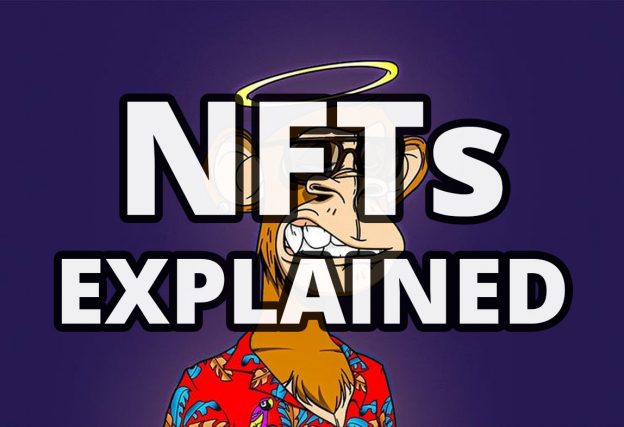
Of course, a lot of celebrities are using NFTs. The Bored Ape Yacht Club is probably one of the most famous NFT collections with many celebrities such as Eminem, Justin Bieber, and Neymar Jr.
A trader going by the pseudonym Cozomo de’ Medici has been buying some of the oldest and most important NFTs on the market for several months. In September 2021, the world learned that this mysterious trader was none other than rapper Snoop Dogg. By the time Snoop launched his own token, he had amassed a collection of NFTs worth more than $17 million.
How NFTs work
NFTs are cryptoassets. This means that they are secured by cryptography, similar to cryptocurrencies such as bitcoin or ether. However, unlike cryptocurrencies, NFTs are not used for commercial transactions.
How do blockchains work
Blockchains are not only essential to the operation of the NFT, but they are also one of the most confusing parts of the story. But once you put your thoughts together, it all makes sense.
They’re called blockchains because they’re made up of strings of computer code – called blocks – that are then chained together. Each block is encrypted (i.e. the information is encoded using cryptography) and has a certain storage capacity.
Once a block is filled with data, it is closed and the data in it is permanently recorded.¨
New blocks are created by a process called mining. Blockchain miners typically have to solve complex cryptographic algorithms to create new blocks. Mining takes a long time and consumes a lot of computing power, and miners are financially rewarded when their block is added to the chain.
Blockchains are used to publicly record transactions. Each blockchain is stored in several computers that are connected to a peer-to-peer network. This means that all computers on the network share files. This decentralized sharing of information creates trust in blockchains.
Every computer on the network has a copy of the blockchain. To change the information that the blockchain holds, the blockchain would first have to be decrypted and then the information on each computer on the network would have to be changed simultaneously.
Because each blockchain maintains a network of its users, they can securely record transactions without a central organization and workforce to record, store, and maintain the data.
People trust the accuracy of blockchains because the way the data is stored makes it almost impossible to manipulate.
How are NFTs created?
The process of creating an NFT is called minting. Most NFT marketplaces allow NFT minting and there are several dedicated NFT minting sites. To mint an NFT, you simply upload a digital file to the NFT marketplace, fill in some information, and click the Create button. You can turn most digital files into NFTs, including images, videos, and GIFs.
How do NFTs Marketplaces work
NFTs are bought, sold, stored, and displayed on online platforms called NFT marketplaces. NFT marketplaces are similar to e-commerce platforms such as eBay; users list their NFTs on them, for which buyers can bid. These online platforms are separate from cryptocurrency exchanges, where users buy, sell and trade currencies such as Bitcoin or Ethereum.
NFT marketplaces typically support multiple blockchains; users can only trade NFTs that are built on supported blockchains and use cryptocurrencies that are compatible with those NFTs.
Most NFTs are stored on Ethereum, which means that these NFTs are compatible with Ethereum-based NFT marketplaces. NFTs bought with Ether on one platform can be sold on another.
Only a few marketplaces accept traditional currencies such as the US dollar. These marketplaces automatically convert the payment to the appropriate cryptocurrency.
The properties of NFTs
NFTs have important properties – such as uniqueness, scarcity, and trade ability – that make them work.
Unique Assets Ownership
Each NFT represents one digital or physical asset and most NFTs have only one owner at any time. The ownership of an NFT is secure and traceable because it is recorded on the blockchain (for most NFTs on the Ethereum blockchain). Ethereum is a decentralized platform that’s powered by a blockchain. Ethereum is known for its smart-contract functionality and its native cryptocurrency, ether (ETH). A smart contract is a self-executing, traceable, and irreversible contract with the terms between the parties written in its code and stored in the blockchain.
NFTs are created through smart contracts and can even be embodied in smart contracts.
Because NFT smart contracts are stored on the blockchain – and because blockchains are decentralized, anonymous, and immutable public ledgers – no one can change ownership of NFTs without a legitimate transaction. Proof of ownership is immutable.
Your NFT will always be referenced in the blockchain, which is difficult to lose unless you forget your cryptocurrency details. This makes it possible to verify ownership of the NFT.
While the ownership record of an NFT is immutable, the underlying assets that the NFT represents, such as digital artwork, can be copied or lost. Images can be taken down and resold as counterfeits and blockchain technology means that no one can prove which NFT is the original. Digital files can also be stored outside of blockchains and are vulnerable to hackers, database crashes, or link rot.
Each NFT has a public and private key. The public key is held by the creator of the NFT and is never changed – the public key is the certificate of authenticity that proves the origin of the NFT. The corresponding private key serves as proof of ownership. When the creator sells his NFT on the marketplace, he keeps the public key, while the private key is exchanged for the new owner.
Fungible vs non-fungible
Cryptocurrencies like bitcoin or fiat currencies like the US dollar are fungible. The fungible assets can be easily traded with each other because they are interchangeable and indistinguishable. One can of soda be exchanged for another, or a $1 bill can be exchanged for any other $1 bill of the same currency.
Fiat currency is a currency that is declared by government decree to be legal tender and is not backed by a commodity such as gold. Examples are the USD and the EUR.
An asset is not marketable unless it can always be equivalently exchanged for another asset of the same type. NFTs are unalienable because each is unique and represents ownership of a different item with its characteristics. However, this does not mean that they cannot be traded. It only means that each token may have a different value.
Subjective value
If NFTs are non-fungible, how are their values determined?
The value of an NFT is subjective. It is sold at the price the buyer thinks it is worth. This may be based on the pedigree, popularity, rarity, and/or collectable value of the NFT. The value of an NFT is also determined by its use value. For example, an NFT event ticket is likely to sell for the same price as a regular event ticket.
An NFT can be expensive, especially if potential buyers believe it would become more valuable in the future. Also, NFTs built on the Ethereum blockchain are often worth more than NFTs built on other blockchains. Because more people own ETH tokens, these NFTs can easily be sold on many NFT marketplaces, increasing the number of potential buyers.
Scarcity
When a person mines NFTs, they can specify how many of these assets they will create and market. This is similar to an author publishing a limited number of copies of a new book.
A digital artist may decide to create only one original NFT – for example, a unique digital artwork. The creator may also release a thousand identical-looking NFT artworks, each with its own unique certificate of authenticity.
Interoperability
Blockchains are decentralized. This means that they are not controlled by any central authority such as a government or a corporation. Instead, blockchains are run by their communities. This in theory allows NFTs to move across different applications, platforms, and services, as long as each ecosystem supports the blockchain on which the NFTs are based.
For example, an NFT digital artwork might be displayed in several different virtual worlds that you inhabit. The same NFT could be a background in your video conferencing app, a plug-in in your favourite video game, and an image profile for your work email.
At the moment, however, multi-platform NFTs are not practical and are limited. Before NFTs become as interoperable as advocates hope, developers need to figure out how to seamlessly transfer content between platforms with various designs.
Tradability
NFTs can be traded on NFT marketplaces and can be moved from the original platform to the open market.
One day, NFTs might allow users to trade online content on major platforms. For example, if iTunes songs were encrypted as NFTs, you could not only buy them but also sell them.
Programmability
Some NFTs never change because their underlying content is static. However, NFTs can be programmed with more complex features written into their code.NFTs can be programmed to respond to certain triggers or actions by the owner, or even to external factors such as the weather.
Complex NFT functions include forging, crafting, redeeming, and randomly generating new NFTs and other forms of content. You can even program smart NFT contracts to change the underlying content when the right circumstances are met.
A popular example is CryptoKitties. They were created in 2017 and became one of the first popular collections of NFTs in part because of their programmed features. CryptoKitties avatars can spawn with other CryptoKitties – owners can select two CryptoKitties and click the Breed button, which will spawn a new NFT avatar with unique characteristics.
Royalties
The person who mines the NFT can encode royalties into this asset through the NFT smart contract. This means that the original author can receive a portion of the fee each time his NFT is sold from one user to another.
This potentially changes the field for creators who are not always appropriately remunerated for their work. After the first sale, creators often do not benefit if their creation gains value and is resold. For example, an artist who sells a painting for $10 makes no profit if the work later sells for millions of dollars.
The royalties in smart contracts make this compensation available to anyone who exploits the NFT.
NFTs also create a guarantee that the artist will receive royalties. For example, musicians often do not get paid by anyone who samples or plays their songs for profit. By embedding their address in immutable metadata, NFTs both ensure that they get paid and make it easier for users to pay them.
Security
NFTs have the potential to secure digital assets better than current methods. A scan of a house title deed could easily be lost. Producing a scan of the same deed as an NFT means that proof of the document’s existence exists on the blockchain. This adds another layer of security.
Blockchain technology is safe because it uses cryptography to encode the ownership of the token. This code requires an incomprehensible amount of computing power to crack – essentially making it impossible to crack.
Each blockchain ledger is decentralized and anonymous. It has no central authority or workforce; tasks are evenly divided among the participating computers that make up the peer-to-peer network.
Peer-to-peer networks are networks whereby each connected computer is a server for others in the network. Computers can share information without the need for a dedicated central server.
Since blockchains use peer-to-peer technology, breaking or damaging them is almost impossible. Each node has an up-to-date copy of the ledger, and someone would have to destroy all of these nodes to erase transaction records and invalidate the blockchain.
The blockchain ledger is also public. Because they are accessible to anyone, verifying ownership is easy, which makes it harder to steal unless someone tricks you and voluntarily transfers your NFTs.
Proponents of NFTs believe that anyone could use them to represent and verify their physical assets. Even personal documents such as deeds and driver’s licenses could be stored as NFTs.
Blockchain technology is very secure and is great for proving that someone owns an item – this proof will always be stored on the blockchain.
However, most of the files that constitute NFTs are not stored in blockchains. This content (usually a video or image file) is stored off-chain, and the NFT hyperlinks to this resource. This is because storing large files on the blockchain has high transaction fees and the hyperlinks are smaller than the files themselves.
While blockchain technology is safe, this off-chain storage raises concerns about the underlying content. Hyperlinks in NFTs could stop working over time, a common problem called link rot. And storing the underlying content in a centralized database makes it vulnerable to hackers and database crashes.
NFT is meaningless if its underlying content disappears. At that point, it will imply ownership of something that no longer exists.
NFT Technology
NFTs are complex and technical, but in their most basic form, they are just strings of computer code stored on a few computers. If you know more about their history and development, you can understand them better.
For starters, various cryptocurrencies and crypto assets are built on their own blockchains, and there are hundreds if not thousands of different blockchains. For example, bitcoins are built on the Bitcoin blockchain and ERC-20 tokens are based on the Ethereum blockchain.
Some blockchains let users create irreplaceable tokens in addition to fungible cryptocurrencies. By far the most widely used blockchain for creating non-fungible coins is the Ethereum blockchain. There are also some other used blockchains like Flow, Solana, or Cosmos.
Certain blockchains, including Ethereum, work with other compatible networks and coins, making them interoperable. Users can purchase Ethereum-based NFTs for various cryptocurrencies, including ETH, DAI, USDC, BNB, and USDT. Other blockchains, such as Solana, have closed systems, and NFTs connected to these systems can only be purchased with the blockchain’s token.
Popularity, liquidity, security, and transferability between other applications, platforms, and products are part of what makes Ethereum-based NFTs such a popular choice.
Ethereum token standards are also widely considered the best for creating NFTs. Token standards tell you how to create, issue, and deploy new tokens that are compatible across the broader ecosystem.
The Ethereum blockchain has several helpful standards:
ERC-721 was the first and remains the most popular standard for creating unique NFTs. It is an application programming interface (API) within smart contracts for tokens. ERC-721 allows developers to create unique tokens and makes it simple to convert them and automatic once approved.ě
ERC-1155 is a standard that gives NFT semi-functionality. With ERC-1155, IDs represent asset classes rather than individual assets. For example, one ID can contain 100 NFTs. This means that multiple NFTs can be converted at once, but with less information about each one.
ERC-998 is a standard for compound tokens. These tokens can represent more than one asset at a time for faster transactions. ERC-998 tokens can contain both substitutable (for example, ERC-20) and non-substitutable (for example, ERC-721) assets.
History of NFTs
2012
The concept that has become the driving force behind NFT was invented long before the creation of Ethereum when in 2012 a paper by Meni Rosenfield introduced the concept of “coloured coins” for the Bitcoin blockchain. The idea of Colored Coins was to describe a class of methods for representing and managing real-world assets on the blockchain to prove ownership of those assets; similar to regular Bitcoins, but with an added ‘token’ element that determines their use, making them segregated and unique.
2014
On May 3, 2014, digital artist Kevin McCoy minted the first known NFT coin ‘Quantum’ on the Namecoin blockchain. ‘Quantum’ is a digital image of a pixel octagon that hypnotically changes colour and pulses in a manner reminiscent of an octopus. A Counterparty was created. Counterparty was a peer-to-peer financial platform based on the Bitcoin blockchain that allowed users to create and exchange their own currencies. Counterparty was important to the development of NFTs because the first NFTs on this platform were similar to the use cases we know today.
2016
The year 2016 was marked by memes and a number of rare pepes appeared on the Counterparty platform. Pepe NFTs became tradable with the introduction of Rare Pepe Wallets, and there was even a Rare Pepe auction in the next years.
2016 to 2020
The space for cryptographic art continued to grow. NFT collections such as CryptoPunks began to showcase the potential of NFT art and collectables on the increasingly popular Ethereum blockchain. New NFT marketplaces such as OpenSea, SuperRare, and KnownOrigin were launched and NFTs could be created on platforms such as Mintable and Mintbase.
During the world’s largest hackathon for the Ethereum ecosystem, Vancouver-based venture studio Axiom Zen unveiled CryptoKitties.
CryptoKitties is a virtual game based on the Ethereum blockchain, the game allows players to adopt, breed, and trade virtual cats and store them in crypto wallets. After its announcement, it didn’t take long for the game to become a viral sensation, becoming so popular that CryptoKitties overwhelmed the Ethereum blockchain and people started making incredible profits.
After the huge success of CryptoKitties, NFT gaming really started to gain momentum and move forward, with NFTS gaining more and more public attention.
2021
The year 2021 has become the year of NFTs and there has been a huge boom and increase in supply and demand for NFTs. Celebrities and established brands became interested in NFT and the art of NFT gained mainstream popularity. Beeple’s “Everydays: The First 5000 Days” sold for $69.3 million at Christie’s art auction, only surpassed by the sale of Pak’s “The Merge” for $91.8 million in early December.
Towards the end of the year, once Facebook renamed itself Meta and moved to Metaverse, the increase in demand for NFT and especially within Metaverse was remarkable.
The first ever Twitter post was sold as NFT for $2.9 million in 2021. Songs, albums, and books were released as NFT. Meanwhile, experts continue to develop new uses for NFTs outside the creative industries.
NFT Risks and Issues
Although NFTs are useful in the digital space, several issues threaten to hinder the progress of this technology. They also hide some risks that you should beware of before forming an opinion or making an investment.
NFTs are bad for the environment
NFTs have a significant carbon footprint due to their reliance on the Ethereum blockchain and its proof-of-work system.
Proof-of-work helps secure the public record of transactions on the network using complex cryptography. Mining new blocks on the blockchain require a large amount of computing power – there are entire warehouses full of computers dedicated to mining the blockchain – and these computers consume large amounts of power.
However, this does not mean that the NFT alternatives are carbon neutral. For example, physical art must be produced and transported, which also consumes a significant amount of energy. However, Ethereum’s carbon emissions are higher than many of the industries that NFTs could replace.
More than a million transactions take place with Ethereum every day; this includes transactions for each of the various cryptocurrencies and tokens based on the Ethereum blockchain. Transferring cryptocurrencies and creating, buying, selling, and bidding on NFTs are activities that are classified as “transactions” on the Ethereum blockchain, and all of these activities consume energy.
Because of all these many transactions, Ethereum consumes approximately as much electricity as the country of Libya (population 6.8 million).
According to data from Crypto art. WTF, the average NFT has a carbon footprint equivalent to the electricity consumption of an EU resident for an entire month. And thousands of NFT-related transactions take place on Ethereum every day.
The environmental impact of NFTs is only getting worse. Ethereum’s value is increasing as NFTs bring economic success to their users, encouraging miners to scale their computing power to take advantage of this trend. At least that’s the opinion of Susanne Köhler, a researcher in sustainable blockchain, who spoke with The Verge:
“Many NFT transactions send a stronger economic signal to miners, which can lead to increased emissions.”
It’s worth noting that NFTs make up a relatively small number of the total number of Ethereum transactions, and also that the primary environmental concern is Ethereum’s proof-of-work method.
Ethereum is moving to a proof-of-stake verification system that will theoretically reduce carbon emissions on the network to near zero. In a proof-of-stake blockchain, miners stake their own cryptocurrency to secure the network instead of using computing power. Ethereum has promised these changes since its launch in 2015, but so far they haven’t materialized. Meanwhile, some NFT makers are offsetting their carbon footprint with green investments, and some miners are switching to renewable energy.
There are also ways to make transactions greener. Ethereum Layer 2 solutions can act as a more efficient intermediary between applications and the blockchain by reducing the number of transactions, and NFT marketplaces can also be more efficient.
NFTs are not regulated
NFTs are not currently recognized and regulated. Several countries – including the UK, Japan, and EU members – are addressing this issue, but there are as yet no international laws covering NFTs.
According to the multinational law firm Osborne Clarke, existing laws could already apply to NFTs, at least if they have the same characteristics as other investments. And smart contracts could already provide adequate proof of ownership.
The main obstacle is that these theories have not been tested in court. And this lack of regulation creates problems, including the inability to protect platforms (and investors) from fraudsters, fraudulent imitations, and even money laundering – a problem that is difficult to solve because of the “anonymous” nature of blockchain technology.
Perhaps with better regulation, buyers and sellers could be vetted.
The Legality of Ownership: Copyright and IP Issues
What rights, if any, do you get to the underlying work when you buy an NFT?
The purchase and ownership of an NFT do not mean you have all the rights to the underlying asset. The transfer of other rights (other than ownership) must be clearly stated within the NFT smart contract. Otherwise, the author of the NFT content retains the copyright and intellectual property rights (IPR) to his/her work.
If the copyright and IPR are not transferred with the NFT, the buyers have no control over the original work. NFT buyers cannot make and sell copies of their purchase, cannot make the underlying work freely available to the public, and cannot modify or reproduce it in any way.
To be clear, this is no different from physical ownership. Your purchase of a Mars bar does not give you the right to create and sell your own nougat-filled candy under the Mars brand. However, a promise to purchase original property can be a misleading concept – especially when it is so ambiguous as to what rights are being transferred in the transaction.
Moreover, digital content is inherently shared and highly reproducible, which is a temptation for many NFT owners. Generally, you are only buying ownership of the asset unless the NFT smart contract clearly states otherwise.
Critics fear that this grey area will be a cause of litigation. For example, buyers of NFTs could falsely claim to have a copyright in the underlying asset, while sellers of NFTs could be sued for misrepresentation if they are not careful. Worse, any infringement is largely irreparable because it is immutably encoded into the blockchain.
Scams, Fraud, & Security Issues
NFTs can be a precarious investment, not least because many cybercriminals profit from them.
Buyers and creators of NFTs can be defrauded in many ways, including:
– Fake NFT marketplaces
– Fake sellers posing as NFT creators
– Copies of non-NFT assets masquerading as NFTs
Because digital assets are files, they can be saved or screenshotted and then passed off as NFTs. This is, of course, a clear violation of copyright law. You can’t legally make money from someone else’s work.
However, fake sellers pose as popular NFT creators and sell copies of their NFTs as real ones. Because they are not original works, they are worth only a fraction of what they were paid for. Buyers can spend thousands of dollars on an NFT only to find that it is a worthless fake.
Scammers also copy and sell works by creators who are not involved in NFT.
NFT fraud is spread through tactics such as fake NFT handoffs and fake drops. People get them apparently at random and then sell them thinking they are legitimate. Cybercriminals have even created fake NFT marketplaces that use the same original logos, design, and content as existing platforms.
Buyers can mitigate the risks by purchasing NFTs from reputable and identifiable creators, but this does not mean that users will not continue to face the threat of fraud.
On top of this is the risk of losing expensive NFTs in hacking and cyber-attacks. In March 2021, several Nifty Gateway user accounts were compromised. Hackers sold and transferred NFTs worth hundreds of thousands of dollars to anonymous accounts.
When you consider phenomena like link rot and database failures, which can also lead to the loss of underlying assets, it’s easy to see why you shouldn’t over-invest in NFTs.
Here are some of the biggest crypto scams of 2022
The Celsius crypto pyramid is collapsing
When stablecoin Terra and its sister token Luna collapsed in May, it triggered a domino effect that brought down the entire crypto market. Crypto lending companies in turn suffered a huge blow in the crypto crash. Celsius, formerly one of the largest crypto lending companies, eventually declared bankruptcy.
Things were already suspicious when some of Celsius’ clients started reporting in June that they couldn’t withdraw their funds. Celsius’ now-former CEO Alex Mashinsky tried to calm fears by saying that the company had not stopped the withdrawals. But just days later, Celsius froze everyone’s accounts.
Critics say Celsius’ promise of ridiculously high yields was meant to be a warning sign that it was too good to be true. But as more information comes in, it seems increasingly likely that Celsius was operating a Ponzi-like scheme, paying off early investors with funds from recent investors.
That, in fact, is essentially what regulators at the Vermont Department of Financial Regulation are claiming.
“This indicates a high level of financial mismanagement and also suggests that at least at some points in time, returns to existing investors were likely paid out of new investors’ funds,” the bureau’s September report said.
Ukraine is pulling the rug out from under donors (for good reason!)
One of these scams is not like the others, and it is this: when the Ukrainian government pulled the rug out from under its donors. But it needs to be included because it is frankly brilliant: a rare “good” scam.
In February 2022, shortly after Russia invaded Ukraine, the Ukrainian government quickly decided to accept donations in the form of cryptocurrency to take advantage of the large pockets of crypto space that are always looking to pump up their coins and generate good press.
While a fair amount of donations came in initially, the cryptocurrencies started to add up after Ukraine announced that those who donated through the Ethereum network would be given air aid. Airdrop is essentially a situation where free donations are sent to crypto wallet holders, usually in the form of crypto tokens or NFTs. As Ukraine put it, it was essentially sending donors a “reward” for contributing.
Enter bad-faith actors. People started sending lots of crypto-donations to Ukraine to take advantage of the airdrop. In less than two days, approximately 60,000 transactions were made to Ukraine on the Ethereum blockchain. According to Ukrainian officials, individuals started sending tiny amounts just so they could register in time to get the airdrop. Allegedly, these individuals were trying to cash in on a country in a state of war by receiving a “reward” worth more than what they donated so they could flip freely for a quick profit.
Ukraine decided to cancel the landing just days after it was announced. Some donors who stood to gain called it a “scam”. And technically, it’s called “pulling a fast one.” Carpet pulling is when a cryptocurrency developer promises to raise funds and then abandons the project, walking away with all the liquidity.
But this is a truly unique situation. Ukraine tried to raise funds, thought it was thanking donors who meant well, and then dragged its heels when it realized people were trying to take advantage of the situation. But the donations still went to charitable causes. So let’s call that pulling the short end of the stick. And that’s why it’s at the top of the list.
Users “loot” Nomad Bridge thanks to exploit
Hacking cryptographic bridges is nothing new at the moment. According to blockchain analytics company Chainalysis, hackers have managed to lure roughly $2 billion in 2022 alone by exploiting vulnerabilities in these bridges that allow users to exchange one crypto token for another across separate blockchains. Crypto bridges are meant to facilitate trading between crypto tokens, but they have also made hackers’ jobs much easier due to potential vulnerabilities.
In August, hackers discovered one such vulnerability on the Nomad cryptographic bridge and were able to walk away with nearly $100 million thanks to their efforts. That’s a lot of money, but certainly nowhere near the largest amount stolen from a cryptographic bridge.
But it didn’t end there. The Nomad bridge hack was unique because the exploit was leaked to the public before it could be fixed. This led to a situation where more people decided to join the Nomad bridge heist. In total, $186 million was looted from the Nomad Bridge.
Coinbase researchers later found that approximately 90 percent of the cryptocurrency wallet addresses involved in the hack were “spoofs” that replicated the hackers’ original exploit after it was made public.
White hat hackers and people who later realized their crypto wallet address was connected to enough personal data that they could be identified eventually returned some of the millions of dollars in cryptocurrency stolen. But the quantity of recovered cryptocurrency was only a little more than 5% of the overall gain.
$325 million hacked from the Wormhole Bridge
Crypto bridge hacks are getting increasingly common, as was previously noted. While the Nomad hack was unusual, the $325 million that was stolen from the Wormhole crypto bridge in February dwarfs the $186 million that was seized.
Through the Wormhole bridge, the attacker was able to create 120,000 in “wrapped” Ethereum on the Solana blockchain. (For those who are unfamiliar, wrapped crypto is essentially a means to peg the amount of cryptocurrency to the current value, making it simpler to trade when bidding on NFTs, for instance.) The hacker was able to mine those tokens without depositing the same quantity of their own money thanks to the Wormhole bridge exploit. Essentially, a bug in the Wormhole crypto bridge allowed the hacker to create money out of thin air in this case.
The crypto bridge had to be momentarily disabled by Wormhole’s developers in order to close the attack. However, it was obviously too late by that point. The hacker was given a $10 million bounty in exchange for returning the remaining cash. The offer wasn’t taken because $325 million is a lot more than $10 million.
Hackers stole $615 million from Axie Infinity
If someone stole $615 million from you, would you suspect anything? Certainly not Sky Mavis, the developer of the most well-known cryptocurrency game, Axie Infinity!
In March, hackers discovered an exploit in the Ronin blockchain, an Ethereum-based sidechain that runs Axie Infinity. To make matters worse, the exploit was the result of what was supposed to be a temporary change initiated by Sky Mavis in December that reduced security protocols. Things were not rolled back and the hackers were only able to take advantage of the situation a few months later.
How did Sky Mavis eventually find out that it had lost hundreds of millions of dollars? One user tried to withdraw his funds and couldn’t because liquidity was no longer available.
Axie Infinity is a crypto game that requires users to purchase expensive NFTs before playing. Once these NFTs are acquired, they can earn real money in the form of cryptocurrency by playing the game. However, due to the high cost of entry, users who cannot afford NFTs often find themselves captive to exploitative “scholarships” that require them to share profits with other users who lend out these expensive NFTs needed to play the game.
However, in countries like the Philippines, play-to-earn games like Axie Infinity have become popular because users can earn the equivalent of the average salary in their country. Unfortunately, these users found their earnings unavailable due to the hacking attack.
Axie Infinity has since raised $125 million to reimburse its users for the stolen funds. However, this falls far short of the $625 million they lost. As for that money, they will likely never get it back. The US government believes that the hacking attack was carried out by a group based in North Korea.
Day of Defeat, red flags everywhere
Does an investment that promises a 10,000,000x price increase sound too good to be true? No, my zero key is not stuck. That’s exactly what the Day of Defeat token promised. And a lot of people bought it.
Molly White is the creator of Web3 Is Going Great, which tracks all the scams and frauds in this space on a daily basis. When I reached out to her to find out what cryptocurrency scams have stuck in her mind so far this year, she referred me to Day of Defeat. She referred to it as one of the projects with “some of the biggest red flags I’ve ever seen.” And that she’s seen a lot of them.
NFTs Could Lose Value
Many collectors are investing millions of dollars in NFT despite the financial risks associated with the technology. In a worst-case scenario, these collectors could lose huge sums of money if their NFTs quickly lose value.
The price of NFTs is based on subjective values that are difficult to predict. Because they have no fixed standards, their market is prone to sudden drops.
NFTs could also depreciate in value if Ethereum becomes obsolete. This would be surprising given Ethereum’s current success, but it’s worth keeping in mind. Most NFTs live and die by the success of the Ethereum blockchain because that is what they are based on.
NFTs that represent physical objects could lose value if those physical assets were lost, stolen, damaged, or destroyed. An NFT can persist even after its physical counterpart is lost. This highlights the fact that the NFT and the underlying asset it represents are separate items.
Finally, what if NFTs do not follow the trajectory predicted by proponents? NFTs have not yet changed the world and unresolved questions remain. They could become worthless if another technology manages to bring the same values of scarcity and proof of ownership to digital assets, but with fewer drawbacks.
If in April 2022, the owner and NFT present the first-ever tweet on Twitter put the NFT up for auction. While he initially paid $2.9 million for NFT, he hoped to raise $48 million in the resale. The highest bid, however, was only $29,000.
Can you even own digital content?
Can you really own NFTs in the same way you own physical property? When you buy a single edition work of art in a gallery, you are not only the sole owner of the work but also the exclusive viewer, if you wish. In the same sense that you don’t have to lend your favorite book, you don’t have to show others your favorite painting.
Is it unnecessary to endow digital assets with the same rules when they are different from physical objects? On the internet, anyone can save, screenshot, or copy any image, artwork, or NFT video and claim to own that content as well.
The NFT community describes this as a “right-clicker” mentality.
The right-clicker mentality is a term coined by the crypto community that describes people who save images from NFTs to ridicule NFT owners, claiming that they own the NFT without paying for it. The right-clicker mentality is also used more generally to describe NFT naysayers.
While these people are laughable to collectors of cryptographic art, are the real clickers right? What is the difference between an NFT and an identical image when both can provide the same satisfaction?
Some critics liken NFT to buying a receipt for a product that anyone can own. Support for NFT basically boils down to belief in a piece of code and what it really means that something is unique. To play devil’s advocate: critics don’t think that NFTs provide rarity, nor do they believe that this quality can be achieved in digital content.
NFT Marketplaces
NFT marketplaces are platforms where you can buy, sell, store and display NFTs. In some cases, you can even create your own.
You should be very careful when choosing an NFT marketplace. Each one is only compatible with certain cryptocurrencies, cryptocurrencies, and NFT types. Most NFT marketplaces use Ethereum-based NFTs and accept ETH tokens, which is why Ethereum is so popular.
Other marketplaces may be designed for other blockchains. For example, Solsea is designed for NFTs based on the Solana blockchain. There, you would need to link a wallet that is compatible with the platform and contains the SOL cryptocurrency.
Each NFT marketplace can also cater to different types of content. Art NFT marketplaces are the most common, but other specialized marketplaces include gaming content, music, trading cards, and virtual real estate.
The most popular NFT marketplaces include OpenSea, Rarible, and Axie Infinity. OpenSea is currently the largest NFT marketplace and has shown colossal growth in 2021. In August this year, OpenSea recorded a trading volume of over $75 million in a single day. That’s a higher total volume than what the platform has seen for the entire year of 2020.
These are the best marketplaces for buying and selling NFTs:
OpenSea is one of the first and largest NFT marketplaces. It is a user-friendly marketplace that offers NFTs of digital artwork, collectibles, domain names, photos, music, utilities, virtual worlds, and sports.
Rarible is decentralized and managed by the community – the owners of RARI tokens. In this sense, Rarible is a kind of pioneer in the crypto space. Rarible focuses on artistic NFTs, but also includes music, domains, gaming content, metaverse NFTs, and more.
Nifty Gateway deals with digital art. The site features NFT from some of the biggest NFT artists such as Beeple and Trevor Jones, not to mention famous NFT collections such as Mutant Ape Yacht Club.
SuperRare features one-off NFT releases from top artists, including XCOPY and Coldie. DAO* SuperRare is managed using $RARE tokens – ERC-20 tokens on the Ethereum blockchain.
NBA Top Shot includes NFT trading cards that feature a short video of an iconic NBA moment. The marketplace is built on the Flow blockchain. Users can buy and sell these trading cards to each other.
How To Get Started On NFTs Marketplace
If you want to buy, sell and create NFTs, you need to start in the NFT market.
The process of registering for the NFT marketplace usually consists of a few simple steps.
Choose a marketplace > Sign up > Link a crypto wallet.
NFT marketplaces require you to enter some personal information when creating an account – just like other online platforms. There are a few things to consider before choosing a marketplace and creating/trading with NFT.
Choosing a Marketplace
This is the most important factor to consider before creating an account on the NFT marketplace. You will want to join the best NFT marketplace for your needs.
You need to choose a compatible marketplace that suits the type of NFT you want to buy, sell, and create. OpenSea is a reliable choice because it contains a huge variety of NFTs including artwork, collectibles, gaming items, and more.
We also recommend you choose an Ethereum-based NFT marketplace. Each blockchain that supports NFTs has its own compatible NFT marketplaces, wallets, and cryptocurrency tokens. Ethereum has more NFT marketplaces (and more NFTs) than any other blockchain.
Once you register on your chosen marketplace, you will need to link a crypto wallet. Most marketplaces will present you with a list of cryptocurrencies you can use.
Choose a compatible wallet and sign up there as well. Once you have linked your crypto wallet to your account, your account setup will be complete.
Funding Your Wallet
In order to trade on NFT marketplaces and pay for “gas”, you must have a balance in cryptocurrency. Gas fees are transaction fees on the Ethereum blockchain.
Gas fees are payments made by users of the Ethereum blockchain that cover the computing energy costs of maintaining the network.
It would be best if you bought the right cryptocurrency that is compatible with your NFT marketplace. To trade NFTs on an Ethereum-based NFT marketplace, you need to buy ETH tokens. If you buy the wrong cryptocurrency, such as bitcoin, you will lose money. Most wallet providers, including MetaMask, Enjin, and Coinbase, support ERC-721 tokens.
We recommend that you buy approximately $100 worth of cryptocurrency from an exchange or broker and transfer it to your wallet. This should be enough ETH to cover the cost of creating or purchasing your first NFT.
What’s a Cryptocurrency Exchange or Broker?
A cryptocurrency exchange is a platform that allows customers to buy and trade cryptocurrencies in exchange for other financial assets such as fiat money or another cryptocurrency.
A cryptocurrency broker is a company or individual who acts as an intermediary between the buyer or seller of a cryptocurrency and the market.
Multiple trades occur simultaneously on cryptocurrency exchanges, with platforms charging a set fee for each transaction. Anyone can easily buy cryptocurrencies on the exchanges using a credit card. Prices are immediately visible to anyone using the platform and are largely determined by free market factors such as supply and demand. Coinbase.com and Crypto.com are two popular cryptocurrency exchanges.
Cryptocurrency brokers can offer more personalized services to buyers and sellers. Brokers set cryptocurrency prices themselves and usually broker higher-value trades. A potential buyer would deposit his or her capital with a broker and could use the broker’s other products and services. These may include access to contracts for difference (CFDs), derivatives, and market analysis tools. Popular brokers include Caleb & Brown and Bitpanda.
Both exchanges and brokers are reputable methods of trading cryptocurrencies, although both methods also present opportunities for scammers and shysters. Only use well-known sites and widely recommended firms, and be wary of fake platforms or brokers.
How To Buy and Sell NFTs
Every marketplace is of course a little different. However, if you have completed registration and have connected a funded crypto wallet, you should be ready to buy and sell NFTs.
Buying NFTs
Buying NFT is easy once you charge your crypto wallet. Most NFT marketplaces use auctions and fixed-price “Buy Now” sales.
You can either buy NFTs when they are first released directly from the creator, or you can buy them on the secondary market. Desirable NFTs can increase in value over time, so it is often best to buy NFTs when they are first released. This is easier said than done; primary NFT auctions can be over in seconds. Before you try to acquire NFTs on their release, you need to make sure you have sufficient funds (and can respond quickly).
Before you decide to buy, you should look at several different similar NFTs. Before you start looking for a bargain, you want to have a really good idea of the maximum and minimum price of the item. Many NFT marketplaces display the “lowest bid” and “highest bid” for NFTs.
You should keep in mind that rarity, unique features, and originality are desirable and increase the value of the NFT. Price is also influenced by ownership history and potential for future profitability, while certain aesthetics are more fashionable than others. Consider these trends before purchasing an NFT to ensure resale value.
When buying an NFT, set a budget and stick to it. Otherwise, with so many options, you may find yourself spending out of compulsion. Buy mainly from verified sellers to avoid scams, and shop everywhere else after considerable vetting.
Last but not least, don’t forget that you pay gas taxes when you buy or even bid on NFT. So choose your bids carefully and keep some extra ETH in reserve.
Selling NFTs
The sale of purchased or created NFTs may vary slightly depending on the market, but in general, it is a straightforward process:
Click Sell NFTs > Select Selling Conditions > List NFTs.
Whether you are trading NFTs or issuing your own collection, you need to balance getting the best value for your NFTs with some other strategies that can help in the long run.
At the very least, you need to be aware of the value of your NFTs. One NFT trader mistakenly sold an NFT Bored Ape for just $2,844 in December 2021, a “concentration error” that meant the NFT was listed approximately $282,000 below its market value. With this in mind, let’s take a look at some pricing tips so you can avoid similar mistakes.
How to Price Your NFTs
NFTs are offered in different price ranges. There are two different ways to price an NFT based on its content.
The value of NFTs is determined by supply and demand. If the NFT you are selling is utilitarian (i.e. has everyday use), you should value it according to the corresponding physical product. For example, a ticket to an event would be sold as an NFT at the same price as a physical ticket. In the resale market, the value of this ticket could increase if there is a high demand for it.
The value of NFTs is almost entirely driven by supply and demand. Here are some factors that influence the perceived value of NFTs:
While some of these factors you can predict, others are up to the buyer. An NFT that is owned (or created) by someone famous is likely to fetch more money. An NFT that is unique or original is likely to be valued by the community as well.
As a general rule, price your NFT close to the price of similar NFTs on the market. A digital artwork that includes 3D graphics may sell for about the same price as a similar NFT of the same quality.
If you are the creator of an NFT and it is in its initial decline, you should not overestimate its price. The chances of your collection selling will be reduced if it is overpriced because you will be denying participation to lower-income collectors. You want your collection to sell in order to generate some hype.
It’s also a good practice because you want buyers to get a return on their investment. Otherwise, they simply won’t invest. Many high-end collections maintain affordable price drops even when they are in high demand.
When and where should you sell NFTs?
Timing is crucial when releasing a collection or reselling your favorite NFTs. In the months leading up to the sale, do your marketing to generate excitement and prepare customers.
Sell your NFTs on more than one online platform. Most top NFT creators and collectors have multiple touchpoints with potential buyers, including social media accounts with links to purchase, a presence on leading NFT marketplaces, and websites that are integrated with those marketplaces – so fans can go directly to their website and purchase their NFTs.
The NFT marketplace you choose must be based on the features of your product. Are you selling unique digital artwork? SuperRare is the best place. Do you sell NFT music? Try platforms like Catalog or OneOf. Unique One Photo is dedicated to NFT photos, while big platforms like OpenSea make a lot of different categories visible.
You can also offer second-hand NFT on multiple marketplaces at once. This is great if you resell NFT and want to increase its exposure.
How to Market NFTs
Creators and collectors of NFTs use marketing channels to generate interest in their NFTs and create a community of supporters.
Community members are actively involved in buying and selling NFTs. You want to build this fan base through marketing communications and content for your NFTs. Creating a community is key because it helps build credibility and enthusiasm around your project, which ultimately translates into sales.
Successful collectors and creators of NFTs use multiple marketing channels to promote their NFTs, e.g:
Community involvement is one of the most important methods of building interest in your NFT. Think about the content of your NFT – is it an abstract work of art, a sports-themed collectible, a sci-fi avatar? Talk about your NFT drop in social media spaces where your items will be most appreciated.
Discord, Twitter and Reddit are popular among cryptocurrency fans. You can join NFT groups on Discord and Reddit. On Twitter, you can use popular NFT hashtags to post content for the right audience.
Industry influencers are often used to promote NFT projects and sales. Several NFT marketplaces allow you to promote your NFT on their homepage for a fee – another great way to find investors.
You can airdrop your first collection of common NFTs to 1000 people for free. This will instantly build an audience for your brand. These people might tell others about your NFTs or even buy them themselves. You could also ask influencers if they would accept NFTs from your collection for free. Their fans will notice all the new NFTs in their collection.
Whatever method you choose to promote NFT, you definitely want to create a fear of missing out (FOMO) among NFT supporters.
Some collectors and creators go even further in creating FOMO:
They post blurry images of NFTs before they are released.
By opening the auction for bidding before the NFT is revealed.
By staggering the release into several stages: early access, pre-sale, and public sale.
Creators can also add unlockable content to their NFTs to create value for community members. This basically means that people buying NFTs from your collection become members of a social club.
Fake NFTs that replicate the original collection is a problem in NFT marketplaces. If you plan to sell NFTs, it is a good idea to set up an identity on the chain. You can link your official social media accounts and email address to an anonymous account on the chain. This will give your NFTs credibility and protect buyers.
Which NFTs Should You Trade For Profit?
NFT traders usually focus on a few categories with high profitability:
The best marketers identify desirable characteristics of NFTs that make them easier to sell. While some categories are preferred over others, money can be made in almost every category of NFT – just keep in mind that there are risks.
Rarer NFTs are more suitable for trading than collections with lots of units. This is because there is less competition from other dealers in rare collections. You are also less likely to face rapid price drops and undercutting if interest in an NFT project drops.
NFTs that contain unlockable content are also preferred – these NFTs build long-term value for their owners beyond the content itself, which can lead to user growth and price increases. NFTs that unlock rare content in blockchain games can see a large increase in value, especially if the game grows in popularity.
Short-Term Exit Strategy
An exit strategy is a contingency plan that the buyer has in connection with the sale of an asset. There are short-term and long-term exit strategies. You need to decide which exit strategy is appropriate for you and the NFT you are buying.
A short-term exit strategy (also called flipping) involves buying an NFT, holding it for a few hours or weeks, and selling it at a quick profit.
You can handle a short-term exit strategy in several ways. You can buy an NFT below its average selling price and relist it at an inflated price. In order to do this successfully, you must not understand the NFT market. It also helps to choose an NFT whose value increases each time you sell (this information is available on the NFT marketplaces).
You can also target NFT releases and new NFT collections with a short-term exit strategy. That is, you buy an NFT early and sell it quickly when there is a high demand for that NFT. Traders track the volume of trades of a collection and the number of owners to determine its popularity.
Long-Term Exit Strategy
Long-term strategies include buying an NFT project late and waiting several months or even years for this investment.
Early purchase with this plan is not recommended. This is because you need to choose NFTs that already have a fan base. NFTs that are rare also work well here – collections with a lot of new pieces could depreciate in value over time, while rare collections tend to appreciate in value.
You should hold on to your NFTs until there is a massive increase in sales volume and appreciation, or list the NFTs after a prolonged increase in sale prices. Don’t hold an NFT for too long after its growth begins to decline. This could lead to reduced profits or even a loss.
If you are not sure whether to choose a long-term or short-term exit strategy for a particular NFT, look at the trading volume of similar NFTs or NFTs in the same project. If it’s only a few trades per week, a long-term strategy may be the best course of action.
Fixed Price or Auction?
In the Dutch auction, the NFT starts at a high price, which decreases over time to the minimum selling price. In the Dutch auction, the buyer who bids the NFT first wins.
You can use the Dutch auction if you are not sure of the market value of the NFT. They can also help you get back the best possible price when you need to sell an NFT quickly. Setting a price range from below average to low means you have a chance to sell the NFT at a higher price than a low fixed price auction.
Outside of these two examples, however, it’s best to stick with a fixed-price auction.
Pricing Strategy
The selling price of your NFTs depends on your exit strategy, vendor competition, market trends, and desired profit.
You should monitor the price of NFTs from the same collection in the market. If you want to sell your NFTs quickly, set the price slightly lower than the average. If you are willing to wait for a better price, you can price your NFT higher.
Good NFT traders change the price of their items based on their performance. Increase the selling price of an NFT if the collection sells better than expected. Lower the selling price if the NFT is performing worse than expected. It sounds like a given, but many dealers lose money by keeping their prices consistent. It’s better to cut your losses and maximize your winnings.
The Risks Associated With NFT Trading
NFT traders can earn high salaries, but they take some risks. You need to consider these risks carefully before you decide to trade NFTs.
The NFT market is volatile and should not be considered your main source of income, especially if you are in a precarious financial situation. Devoting a large percentage of your savings to NFTs could lead to financial ruin. Only invest as much as you can afford in NFT.
Trading in NFTs also poses a huge risk to the environment. NFT traders are constantly buying, selling, and offering NFTs. This is a problem because users who make more transactions on the Ethereum blockchain consume more energy. If this does not suit you, consider trading other non-crypto assets, such as fiat currencies, as an alternative.
How to Mint Successful NFTs
Creating (or minting) an NFT is relatively simple. You don’t need a background in cryptocurrency or blockchain technology to do it.
First, go to the NFT marketplace where you can create NFTs. Not every marketplace allows this, but for most that do, creating an NFT is a similar process.
Upload content > Select NFT properties > Mint your NFT
While these steps are fairly simple, it is important to note that some of the decisions you make here will affect the value of your NFT.
What Things Can You Mint as NFTs?
Most digital file formats can be converted to NFT. This includes images, videos, audio files, and 3D models. These files can contain anything including digital art, avatars, memes, GIFs, home videos, merchandise, and tools. If you own full rights to the digital content, you can sell it as NFT.
Currently, NFT avatars are popular. So are collectibles like trading cards, digital artwork, and GIFs. But as popular as these NFTs are, their markets are also saturated.
A new trend that is not yet saturated is generative art, a type of digital art. Another market that is gaining popularity is real-world gadgets. You can create NFTs to help people pay bills with cryptocurrency or access an event, for example – such everyday utilities are the likely future of NFTs. Thinking about how you can apply NFTs to existing industries could take your project to the next level.
You could also use NFT to create something new. What other forms of content have not yet been widely adopted as NFT? Miniseries, films, online magazines. Of course, creating professional quality content is not easy. But maybe you have a unique voice or see problems in these industries that your NFT could solve.
NFTs Aesthetics
If it is a visual medium, the NFT aesthetic should be chosen. This means choosing an art style, color palette, and themes. You can focus on matching the current, popular aesthetic used in many NFT collections, or you can get creative when creating an NFT.
Artnome, FlashArt, and the Museum of Contemporary Digital Art have studied the vast collection of NFTs on the SuperRare marketplace. They found the following common characteristics:
– The most popular collections often deal with futuristic, retro, and sci-fi themes.
NFTs have a somewhat purple color palette on average, which relates to their technostalgia aesthetic.
– Three-dimensional art is more frequently viewed and sells for higher prices than other NFTs.
NFTs that are labeled with the word “drawing” have lower performance.
The NFT community sees NFT and blockchain technology as the future of the internet, which is reflected in the futuristic, cyberpunk style that many projects use. The NFT art of popular creator Mad Dog Jones is a perfect example of this aesthetic.
On the other hand, you can choose a unique aesthetic for your NFT.
NFTs are still new, and there are countless characters, themes, and subgenres they haven’t covered yet. Think of popular works of fiction from film, television, literature, and gaming whose style and themes are not represented in NFTs. By bringing your own interpretation of these themes, you may just capture the imagination of buyers.
You Can Tell a Story With Your NFTs
Give your NFT collection a story. Great stories can spark interest in the NFT and sustain interest for years, which is an important part of creating an enthusiastic community. Just look at the enduring success of popular movie franchises like Star Wars or James Bond. Fans continue to watch these films for many reasons, one of which is their investment in the characters and stories.
Use the NFT description field to build a story around your project. Your descriptions should tie in with your chosen content and the overall theme of your NFT. They should appeal to your target customer in both detail and language.
If you’re creating a collection of NFTs, you can even give each NFT a unique description. For example, your avatars could have origin stories, personality traits, or special abilities.
Ultimately, the story of your project should capture the imagination of collectors and make them feel like they are part of the story. Bored Apes are supposed to be wealthy crypto collectors who get together at a private yacht club. This background is designed to make BAYC owners feel like one of these successful apes.
Hire a creative
Creating content for your NFT can be great fun – if you have the correct skills. If you lack the skills to create high-quality content, there are simple solutions.
Quality is critical to the success of NFT collections – no one will want your NFTs if they are poorly created, no matter how original the idea is. When you hire a professional to create content for your NFTs on a freelance platform like Fiverr, you get instant access to experienced designers, artists, music producers, or videographers who will create high-quality content for your NFTs.
Hiring an artist or designer for your NFT is essentially the same as hiring any other freelance professional. Of course, you can’t hire someone to actually mint the NFT on the blockchain. If you want the transaction to be associated with your wallet address, you have to connect your own wallet and perform this last step yourself.
You also need to make sure that if you purchase content from a creative, you get the right rights. Ownership rights may be enough if you are selling the work as a single original NFT. However, if you want to make and sell copies of the NFT at will, you need full commercial use of the artwork. Most freelance creatives transfer commercial rights, but it pays to check.
Lack affects the price of your NFT
The characteristics of your NFT affect its value, so you need to consider them carefully. One of the biggest factors is rarity. You can get more money per NFT if you go out and sell a single copy. But would you get more money overall if you made 100 copies of your NFT and sold each one at a lower price? The answer to this question depends in part on your NFT and the interest you expect it to generate.
There are a few basic guidelines regarding the scarcity of a project to follow when starting out.
It’s important to give people a fair chance to buy your NFT – if you only release a few NFTs in your first few releases, people will quickly lose interest in your project. You want to build a following, which means you want lots of community members to own your tokens.
There should also not be a situation where lots of people flock to get the few available tokens. This can lead to scams that take advantage of the hype and trick users into buying fake versions of NFT.
If you want to build a following but still intend to create exclusive NFTs, there is a happy medium that many creators are adopting. Create two or three different NFT designs with a consistent theme that you release at the same time. Then choose a different rarity for each item. For example, create 500 copies of item A, 100 copies of item B, and 10 copies of item C. This works particularly well for NFT art collections. It allows many people to own your content while creating a high-value NFT.
As a side note, it’s a good idea to create rarity within your NFT properties as well, especially if you’re creating an avatar collection. For example, alien punks are the rarest CryptoPunks and they generate more interest and value than most other avatars in your collection.
Program the value into your NFT
Programmable features can increase the value of your NFTs by creating a unique selling point (USP) for your project and long-term value for its backers.
We mentioned CryptoKitties and how their popularity is partly due to the fact that you can “breed” them to create new NFTs. CryptoKitties were one of the first collections to introduce duplication, and this created a unique selling argument for the project.
You can program a lot of other things into smart NFT contracts, such as:
Programmable features can set your NFT project apart from others while creating buzz around your project by creating value for community members. Bored Ape Yacht Club does an excellent job in this regard. BAYC regularly gives away free gifts to Bored Ape owners, including new NFTs and access to BAYC events and parties. Owners can benefit by selling free NFTs and feel part of an exclusive group.
Features can be programmed into the NFT to incentivize higher engagement. For example, you can program the NFT to unlock a free rare collectible for the owner when they purchase a certain amount of your NFT.
You can also master more creative ways to program your NFTs and generate demand. In the NFT art community, digital artist Pak recently created an NFT collection where the image on each user’s NFT gets larger as they collect more units.
Remember: Gas Charges
If your NFTs don’t sell for more ETH than they cost to create, you’ll lose money. This means you need to carefully consider the profitability of your idea before minting NFTs. Creating an NFT on the Ethereum blockchain costs approximately $70 USD depending on what traffic Ethereum is experiencing at the time.
The Most Famous (and Expensive) NFTs
NFTs are only a few years old and their practicality and environmental impact are still the subjects of much controversy. However, this does not stop collectors from spending a fortune on them.
Some collections have become extremely desirable to a large part of the NFT community, while releases from top digital artists routinely spark bidding wars among wealthy collectors. The most popular NFTs are also often the most expensive. With this in mind, let’s take a look at prominent NFTs that demonstrate the earning potential of the medium.
Famous NFT collections
Some NFT collections have a huge fan base. This may be because they are part of a popular game, or because these NFTs represent exclusives whose ownership will make other collectors envious. Whatever the reason, owners of these NFTs are passionate about each project and millions of other fans are looking for an opportunity to buy them.
CryptoPunks
CryptoPunks was an early NFT project. Launched in June 2017 by Larva Labs, CryptoPunks are uniquely generated 8-bit style avatars, each with their own quirks and characteristics. The avatars depict rebellious punks and are widely considered to be the beginning of the Crypto Art movement.
CryptoPunks were originally released for free, but now command high six-figure sums, and several CryptoPunks have sold for millions of dollars. Why? CryptoPunks are relatively rare. There are only 10,000 of them in existence. Combined with their history and desirability, people are willing to pay a lot for them, and owning them has become a status symbol in the cryptocurrency community.
Bored Ape Yacht Club
The Bored Ape Yacht Club is another in the line of successful NFT avatars. There are 10,000 bored apes, each one unique but looking just as disinterested as the next. As with CryptoPunks, the attributes of each ape were randomly generated.
Again, the desirability and rarity of Bored Apes mean they are ridiculously expensive. The cheapest monkey costs around 52 Ether or $210,000.
When you buy a monkey, you get access to an exclusive club that includes such celebrities as Steph Curry and Post Malone. Owners of the NFT Bored Ape Yacht Club are entitled to various benefits, such as NFT drops from the Mutant Ape Yacht Club and the Bored Ape Kennel Club.
Axie Infinity
Axie Infinity is one of the biggest NFT video games available. In the game, players collect small monsters called axies. Users can fight their axies with each other, breed them to create new axies, and of course, trade them in the online marketplace.
Axie Infinity is an example of how NFT games have the potential to earn staggering amounts of money. In the third quarter of 2021, trading volume reached more than $2.5 billion, and at the time of writing the company is worth over $6 billion.
Decentraland
Decentraland is an Ethereum-powered metaverse where users can buy virtual real estate, explore the world, and participate in fun games and activities.
Players on Decentraland trade NFT virtual land, real estate, wearables, and names. A limited number of virtual plots are available and all this trading is done through the game’s website.
The decentralized, user-owned game universe is considered by some to be the future of the Internet. NFTs allow for the emergence of a metaverse.
Memers Turned NFT Artists
In February 2021, the original Nyan Cat meme – a GIF depicting a cat with a rainbow pop tart for a body – sold for $590,000 on the Foundation marketplace. Christopher Torres (the meme’s creator) told reporters after the sale: “I feel like I opened the floodgates.”
Torres’ comment has aged like fine wine. Two months later, in collaboration with Snoop Dogg, NFT released Nyan Dog along with two other NFTs designed specifically for the drop: Hazy Nyan Cat and Nyan Blunt. Torres’ second drop grossed a total of $250,000.
For Torres, the NFTs give meme creators the opportunity to monetize their content for the first time ever. Most members watch hopelessly as their image and copyright rights are desecrated by millions of internet users. Torres even sued Warner Bros. in 2013 for inappropriate use of his meme (which was settled amicably).
“I didn’t know how to deal with it. I just had to sit back and watch people steal my art and use it without asking,” Torres said in an interview with the Guardian.
Since its release, Torres’ NFT collections have set the stage for similar projects.
Disaster Girl, a meme that featured a little girl looking menacingly into the camera while a building burned behind her, sold as an NFT for a whopping $473,000 (or 180 Ether) in April 2021.
The girl in the picture is Zoe Roth, who explained that she felt defined by the Disaster Girl meme while growing up. Roth believes that selling the original Disaster Girl was a necessary part of gaining some control over that image: ‘Maybe agency is the right word,’ she commented to Guardian reporters. “I finally had some say in what happens to her.”
These NFT sales are far from isolated cases. The original Overly Attached Girlfriend meme sold for $411,000 on air in April 2021, and the NFT of the original Charlie Bit My Finger video sold for a staggering $760,999 a month later. To make matters worse, the Doge meme sold for $4 million worth of Ether as an NFT in June 2021, making it the most expensive NFT of a meme to date.
NFTs, therefore, create value for meme creators. But why do people buy memes at all?
Harry Jones, a 21-year-old investor with a $70,000 collection of NFT memes, explains these extravagant prices:
“It’s about rewarding meme creators,” Jones told The Guardian, “These are culturally significant things, at least for my generation… and the people who provided these cool, culturally significant things years ago didn’t get any money for them.”
Of course, there’s also the emotional aspect of anything that’s culturally significant. By definition, these items are valuable for generations. For an NFT collector, owning an original meme set as an NFT is the same as owning a piece of internet history. The cultural value of these items can make them a worthwhile investment if the NFT is preserved.
“I honestly think they’re decent investments … as we get older, some of the most collectable assets are going to be things that our culture values,” Jones said. “And those are memes.”
Popular NFT Stories
A long list of celebrities have joined the NFT trend and auction houses have covered some interesting stories. Here are some of the biggest NFT events over the past few years.
Celebrities join the NFT trend
Some celebrities are wholeheartedly interested in NFTs because NFTs provide artists and popular personalities with plenty of opportunities to monetize their fame.
Many celebrities are taking advantage of the excitement around NFTs and releasing collections.
Kings of Leon became the first band to release an album as an NFT in March 2021, with the $50 version of When You See Yourself. Several other artists have also released NFT, including Grimes and Steve Aoki. NFTs give artists the option to cut out the middleman and retain the rights to their music.
Ashton Kutcher and Mila Kunis are working on a project called “Stoner Cats,” which is an animated TV series directly on NFT about cats who inhale part of their owner’s marijuana. This is the first project of its kind – a digital TV series that you can own. In addition, the series’ production company says it will commission a decentralized autonomous organization (DAO) to continue the series if the initial 13,420 tokens sell out.
Some celebrities are even launching NFT marketplaces, such as NFL star Tom Brady, who created Autograph. Brady has top executives from companies like Apple, Spotify, Lionsgate and DraftKings helping him grow the company.
Other celebrities are avid collectors and collaborators. Snoop Dogg revealed he is @CozomoMedici at the end of 2021. @CozomoMedici is a previously anonymous NFT whale with a $17 million NFT Ethereum collection, including 9 CryptoPunks. Other well-known NFT enthusiasts include YouTube personality Jake Paul and NBA star Steph Curry.
Pak’s “Merger” displaces Beeple’s NFT for $69 million
Cryptographic artist Mike Winkelman, also known as Beeple, sold an NFT work for a record $69.3 million at the acclaimed Christie’s auction house in March 2021.
Beeple is the biggest name in NFT art, and his works fetch huge prices. Even by Beeple’s standards, $69 million is an absurd amount that many thought would not be surpassed for a long time.
It only took until early December 2021 for Beepl’s record to be broken. Pak’s “The Merger” sold for $91.8 million on Nifty Gateway, unseating Beeple’s “Everydays: the First 5,000 Days” as the most expensive NFT. The sale also made Pak’s NFT the most expensive artwork sold by a living artist.
Interestingly, Pak’s artwork was sold in 266,445 pieces to nearly 30,000 buyers. These units function as shares. Each collector received an NFT of the painting after the sale, the size of which was based on the number of units purchased. When a collector buys multiple NFTs of The Merge on the secondary market, they combine with his existing units to form one NFT with a larger image. It is conceivable that someone could collect all of these tokens to create one complete NFT.
NFT Backlash
NFT projects have also been met with resentment and dissatisfaction.
In December 2021, Ubisoft announced that it was releasing several in-game cosmetic additions as NFT for its latest title in the Ghost Recon series. The NFT drop (called Quartz) was met with polarized reactions.
Some fans praised the announcement as a momentous occasion – the first NFT project from a major game developer. However, with game content in titles like Decentraland and Axie Infinity costing users hundreds of thousands (if not millions) of dollars, many fans of the series were justifiably concerned.
Ubisoft’s YouTube announcement received 40,000 dislikes and just 1,600 likes on that platform, and dozens of headlines lamented Ubisoft’s move as detrimental to the future of gaming.
Stalker 2 received an equally vehement reaction when its developers, GSC Game World, announced that users would be able to have their likeness in the game if they purchased NFT. The studio subsequently cancelled its plans to add NFT after widespread fan backlash.
For context, a number of blockbuster games in recent years have monetized in-game content, content that was once part of the initial selling price of the game. For a large portion of gaming fans, NFTs perpetuate an exploitative dynamic rather than creating a more immersive gaming experience.
The film industry has comparable stories. A limited release of NFT was planned alongside Legendary Pictures’ sci-fi epic Dune for September 2021. This announcement sparked outrage from fans who highlighted NFT’s environmental impact as a major stumbling block. The deletion was described as hypocritical given the plot of the original Dune novel, which some see as an allegory of climate destruction and exploitation.
Real-World Uses of NFT Technology
The year 2021 was a watershed year for non-fungible tokens. The sales volume of Ethereum-based NFTs grew by more than 17,000% in 2021.
We don’t know whether NFTs are a sound long-term investment or a bubble waiting to burst. If new uses are found for NFTs and current problems are solved, the medium may have a long life. In the short term, they represent a high-risk, high-reward venture.
Many cryptography experts believe that NFTs will move beyond expensive artwork and premium collectables to encompass everyday applications. So what real-world uses do we have for NFTs now and in the future?
Smart Contracts
A smart contract within an NFT proves the item’s authenticity and validates its ownership. This allows several real-world uses that we’ve not yet seen in online content.
Tokenised physical objects
NFT can be used to tokenize non-digital items. Anything you buy can be accompanied by an NFT that acts as a deed or digital receipt. In theory, you could use either to buy a car or a house, for example, and get a tokenized digital asset to represent and verify that ownership.
In the future, a person’s crypto-wallet could be used to access the asset. Moving links to physical objects to the blockchain could also create additional trading opportunities in the global marketplace.
All of this is still in the early stages, but several fashion houses are already testing these waters. Dolce & Gabbana sold a limited edition collection of fashion items and NFTs called Collezione Genesi for $5.6 million. Each fashion piece came with an accompanying NFT.
In the coming years, every physical item you buy could have a virtual counterpart that you can use online.
Licenses and Certifications
Any license or certification could be stored in the blockchain as an NFT. This could add a layer of security and safekeeping to these documents. Smart contracts could also make it easier for institutions to access and verify important documents. For example, an employer could check an applicant’s university degree, accessing documents easily and without any doubt as to their authenticity.
Companies are already working on ways to use NFTs to give users better control over their data. While users can share data with each other, this raises questions about the privacy and security of these documents – in particular, how could cybercriminals misuse these NFTs?
Tickets and merchandise
The ticketing and merchandise industry is rife with counterfeits. NFTs could remove any possibility that they have been counterfeited.
NFTs also create opportunities for artists and event organizers to sell tickets directly to fans and receive adequate payments for hosting events. Reselling authentic tickets and merchandise would be easy for fans on the NFT’s decentralized marketplaces.
These tickets could even be stamped with artwork and become collectables themselves (imagine if Woodstock had an NFT). What’s more, you could use the unique NFTs to purchase drinks, snacks, and other physical items included in the ticket price. The ticket could let the owner into the DAO for a concert. This would give owners a share in that concert, for which they could earn money.
NFT tickets were sold for several real events. For example, NFT.NYC sold NFT tickets to the 2020 conference. Another company, Coin. Kred also sold NFT Swag Bags to attendees of the same event.
Supply chains and logistics
The immutability of NFT could be used to increase the efficiency of supply chains. Every detail of origin, destination, storage information, and movement of the product to the end user could be tracked using NFT.
Royalties
Smart contracts may include royalties. This means that the original creator of the NFT receives a percentage of the sale of the NFT when it is transferred from one secondary owner to another.
This creates passive income for artists and content creators and could potentially help industries with over-the-top structures. For example, in the music industry, a large percentage of creators’ profits are taken by record labels, streaming platforms, music pirates and various other third parties.
Smart contracts are immutable and easy to trace, meaning that the creator of an NFT can always get a cut of their share in future transactions.
However, the immutability of an NFT smart contract could also cause problems regarding creators’ royalties. Artists and companies may renegotiate contract terms in real life if they do not reflect fair value. In the case of the NFT, this possibility does not exist. Royalties cannot be renegotiated once generated in an NFT smart contract, which could lead to disputes and unfavourable agreements for both parties down the road.
Industries
NFTs are well suited to certain industries where they provide new solutions and opportunities for innovation.
Creatives
NFTs have great potential for the creative industries. Royalties are one of the features of smart contracts that can generate passive income for creators. NFTs can also remove the need for a middleman (such as a distributor) who takes a significant share of the profits.
Creators could sell NFTs containing their content directly to fans. This would allow creators to retain the commercial rights and profitability of their material. As we have already mentioned, various musicians, artists and even celebrities are beginning to monetize their work through the medium of NFTs for this very reason.
That being said, we have not yet encountered a platform that allows users to listen to their NFT music or watch NFT videos in one place. NFT content won’t catch on until it can provide the same kind of user experience as platforms like Spotify and Apple Music.
We can expect to see new environments and ways to view our favourite NFT art, music, and videos in the future. This means new online spaces for showcasing our own NFTs, and perhaps art galleries investing in the technology to display them.
Games
NFT gaming is currently one of the most developed uses of NFT. NFTs are receipts for ownership of in-game items such as in-game clothing and downloadable content.
This could mean that in-game items can be traded on the open market and potentially used on different platforms, in different media and in different games. There is still a lot of work to be done before items are usable in multiple virtual spaces, but that is the vision for NFT games.
The items you collect in a game will remain yours if it is an NFT, even if that game is no longer supported by its developers. Rare in-game items could become collectable forms of virtual memorabilia that could be sold later.
Some NFT games (such as Axie Infinity) are played for money. Since these titles are built on the Ethereum blockchain, players can receive payments in the form of NFTs. Through a process known as staking, these games reward players for exerting themselves while playing.
Opinions on the NFT game space vary. Supporters believe that blockchain technology is the future of gaming, while critics consider games like Axie Infinity to be exploitative. It’s easy to understand this opinion when NFT game items are selling for six-figure sums. Fans don’t want to be financially cut off from their favourite games.
It’s also currently impossible to port game content to multiple different games. How do you share assets in games that are built on different engines and don’t share the same art style? This is a challenge for developers that has no clear solution.
Decentralized financing (DeFi)
DeFi companies use NFTs as collateral in decentralized loans. If you want to borrow cryptocurrency, you may need to secure the cryptocurrency you hold. However, this can be so expensive that many people cannot afford DeFi loans. DeFi institutions now accept NFTs (if they have any value) as collateral instead.
Ethereum Name Service (ENS)
Ethereum has a name service for resources such as wallet addresses and Ethereum-based websites. It does essentially the same thing as a domain name system. ENS abbreviates address names to make them more memorable. Unlike DNS, it does this by presenting the address as an NFT.
ENS means that each address is unique, and also makes it easier to trade crypto addresses. ENS could become one of the major naming systems in the next few years. The fact that it is also decentralized means that it is not influenced by profit decisions like some industry competitors.
Community
NFTs can create new ways to interact with the creators, communities, and causes we love.
Fractional ownership
Some NFTs may have several owners at the same time instead of one owner. Someone who has issued an NFT can effectively sell shares in that asset. Fractional ownership allows you to co-own something with several other people. This is great if you want to share in something you can’t afford, such as owning a collectable work of art.
It also means you can make money from your shares. The 3LAU Royal music artist platform allows users to buy a share of their favourite music. This means that fans can earn royalties from their favourite songs and feel part of the artist’s success. As the artist’s popularity grows, so do the royalties generated for that fan.
Social Tokens
Social tokens represent an exciting future for online and real-world communities.NFT social tokens are contracts between token creators and token holders that allow the holder to receive special benefits such as unique content, early access, and other perks. Social tokens can even function as blockchain shares. Holders can have more control and ownership over the online community they love, and tokens can be traded.
According to Forefront, the number of addresses holding social tokens grew by 200% in 2021.
Sustainable causes
Ethereum is currently not sustainable. Creating blocks in the Ethereum blockchain requires too much computing power and consumes too much energy. That being said, Ethereum is working to become more sustainable.
Meanwhile, a handful of projects are trying to make up for the network’s environmental impact by using NFTs to fund climate action.
In July 2021, the Porini Foundation partnered with the International Union for Conservation of Nature (IUCN) and Nature Seychelles to help protect endangered birds in Seychelles. The Foundation has created an NFT for each of the 59 endangered magpies that live in Seychelles. By purchasing these symbolic collectables, buyers actively invested in the conservation of endangered species. The Porini Foundation’s project was the first use of NFT for conservation.
The Future of NFTs
Are NFTs the future of digital ownership? Or are they a fad that is dangerous for investors and devastating for the environment?
Only time will tell – at the moment it can be said to be a risky investment that has paid off very well for a minority of users.
However optimistic you are about their future, NFTs are undoubtedly gaining popularity in niche industries such as digital art and collecting. How could NFTs evolve beyond these applications and integrate into big business, finance and concepts like metaverse? And how could NFTs be optimized for a better user (and environmental) experience?
Mainstream adoption
We’re already seeing big brands like Twitter releasing NFTs. More brands could follow suit as NFTs continue to come to the forefront and companies look for new, interesting touchpoints with fans. One example might be rewarding fans with branded events that can be redeemed for unlockable content in NFTs.
If crypto continues to expand, the NFT market will likely expand along with it. NFTs could easily become a part of everyday life and be used to represent a variety of assets in ways we can’t yet imagine.
Decentralisation
NFTs could provide us with a new way of owning digital assets if some of the legal issues surrounding NFTs are resolved. As we spend more and more hours online, it makes sense to start owning the online space and the content we use.
In this sense, NFTs are in line with the current trajectory of the Internet towards Web 3.0.
Web 3.0 is a vision of the Internet where everything is decentralized. This means that the network is owned and managed by the internet community, not by companies like Google and Facebook. Thus, NFTs and their integration with concepts like metaverse could eventually make large Internet companies obsolete.
NFTs are already being used in the decentralized finance industry as they are increasingly adopted to represent financial assets. NFTs could play a role in the decentralization of our financial system – bringing the benefits of transparency and democracy not only to the online world but also to our global economy.
Metaverse
Metaverse is a virtual universe – an online social space designed as a place to hang out, meet friends, attend events, play games and showcase your virtual properties and NFT. Many people believe that the metaverse is the future of the Internet.
Facebook changed its company name to Meta in 2021 in anticipation of a centralized metaverse. However, decentralized metaverses built on blockchains potentially offer users more freedom and rights over their content and data than Facebook can provide.
Decentralized metaverses envision an online space in which every piece of content on the platform is owned by the community. In these metaverses, there would be no need for a centralized authority, as everything is secured and verified using the blockchain.
Decentralized metaverses could therefore be free of ad tracking and data mining. Centralized companies like Facebook/Meta cannot implement this idea because they rely on the data to return a profit. Unlike decentralized metaversions, centralized metaversions could be used to collect even more detailed data about users than these companies already have.
Currently, there are several blockchain-based metaversions, such as Decentraland and Cryptovox. One day, millions of users could participate in these metaverses and NFTs could play a key role in users’ online identity.
In the metaverse, users can display content they have purchased, such as their collection of NFT artwork, and each user has an avatar that they can dress up in NFT gaming apparel. In the future, it would also be possible to display items from other games and platforms, as well as real-world NFT items. Say you buy a new car in the physical world; you could also have an NFT of your car that is usable in the metaverse.
NFTs of virtual land is auctioned and sold in the metaverse. This means that users own the online spaces they inhabit. A user could build a virtual house or museum on this land. In the future, businesses could build virtual stores where they sell products online. As with the current examples of metaverses, all land can be traded on NFT marketplaces. Users could trade land for profit or even rent it out to others.
NFTs could also play an integral role in the community aspects of the metaverse. They could give users access to many virtual activities within the metaverse, such as online meetings, concerts, art exhibitions, and more.
Optimizing
Although NFTs have great potential, current inefficiencies create barriers to their greater diffusion. Cryptocurrencies are complicated, inefficient, and environmentally damaging. In addition, the gas prices associated with minting NFTs mean that the medium is not profitable for some creators.
Cryptocurrency apps and websites can become more user-friendly. Currently, users have to source their NFTs themselves.
A self custody is Způsob držení digitálních aktiv, kdy k nim má přístup pouze vlastník. Vlastní úschova znamená, že uživatelé přebírají plnou odpovědnost za správu svých aktiv a nespoléhají se na banky, které je uchovávají.
Self-custody is essential to the decentralized nature of blockchains, but cryptocurrencies may lack adequate security features to enable mass adoption. If you lose your wallet password, you lose your crypto assets. Crypto wallets will eventually support PIN, biometrics, account recovery, and onboarding features – making digital asset management much easier.
NFTs are expected to become more accessible and energy efficient in other ways as well. Ethereum is working on Eth2 – a set of enhancements that should revolutionize Ethereum NFTs. The main changes include a switch to a staking validation method. This allows community members who help run Ethereum to stake their own ETH during the minting process, rather than using computing power. This could reduce Ethereum’s carbon footprint by 99.95%.
The Eth2 update also improves Ethereum’s scalability. The blockchain will be able to mediate a higher number of transactions more quickly. This will reduce the network requirements and gas fees associated with minting NFTs. With lower gas fees, more artists and entrepreneurs might be inclined to use NFT.